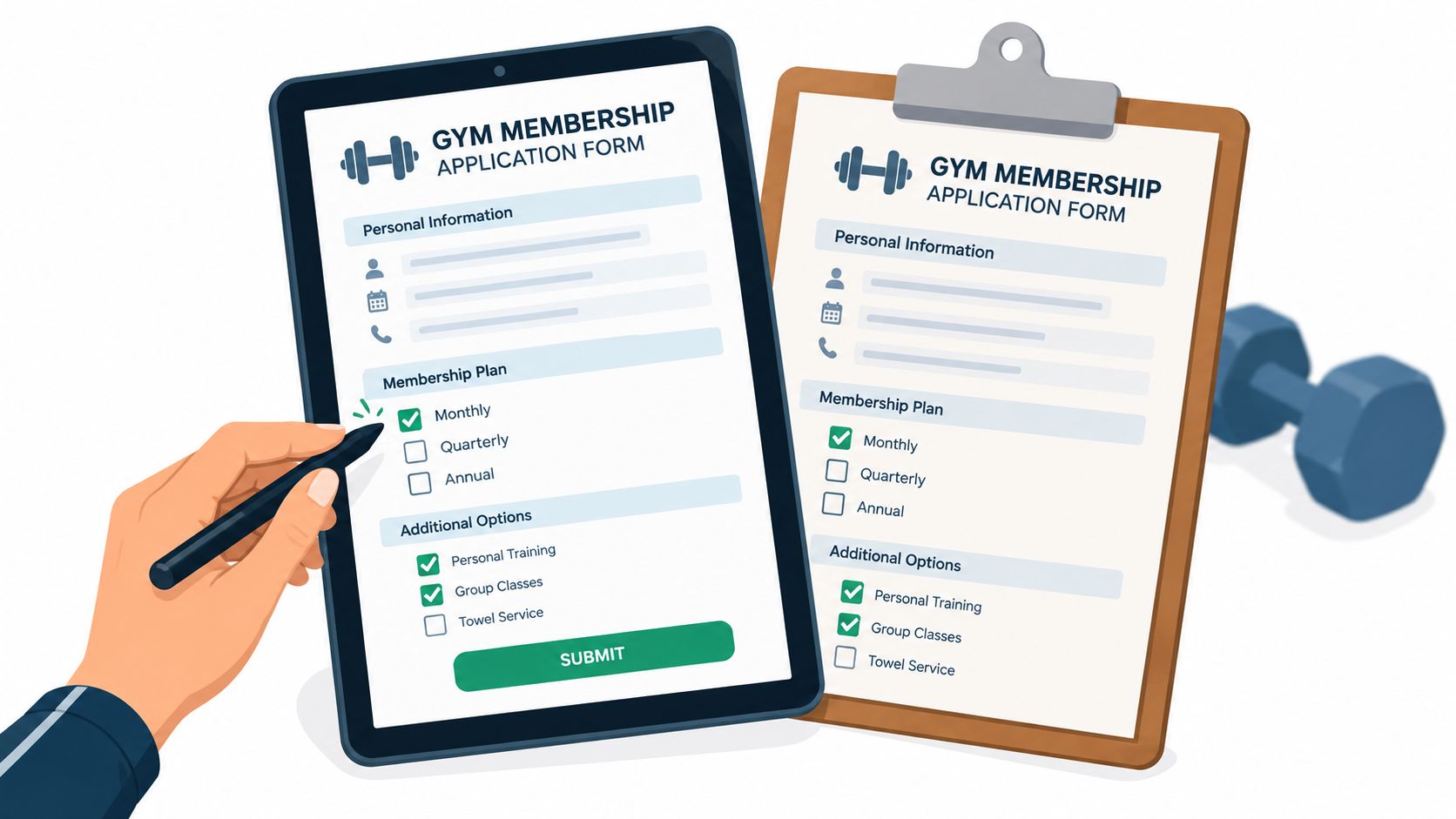
You've got a prospect ready to join, a line forming at the front desk, and three different versions of your waiver sitting in a drawer. One member is filling out a photocopied form with a blunt pencil. Another is asking why the recurring charge wasn't explained. A third leaves before anyone can finish entering their details. That isn't a staffing problem alone. It's a broken enrollment experience.
A strong gym membership application form template turns peak buying intent into a clean signup, captures only the information your team needs, and makes payment and cancellation terms impossible to misunderstand. That matters in a large and expanding market. U.S. fitness-facility memberships reached 72.9 million in 2023, then rose to 77 million in 2024, while total facility customers approached 96 million according to Health & Fitness Association membership data.
The form isn't just paperwork. It's the first workout of the member relationship. If it feels confusing, slow, or evasive, members assume the club will treat everything else the same way.
Why the Enrollment Form Is Your Most Underrated Sales Asset
A member signs up after a tour, receives a confirmation email, and discovers later that the recurring billing date, notice period, or cancellation method was unclear. The first payment goes through, the member disputes it, and your team spends time handling a chargeback instead of building the relationship. A form designed only to win the signup created the problem.
Your enrollment form controls both sides of that experience. It captures the prospect's decision while intent is high, then sets expectations for billing, access, waivers, privacy, and cancellation. If those terms are vague or scattered across verbal explanations, email, and separate documents, staff deliver inconsistent answers. Members lose trust, cancellations become harder to process, and churn follows.
The form should support recurring enrollment at volume. Marketing, tours, referrals, and local promotions have already brought the prospect to the desk or signup page. Every unclear instruction, unnecessary delay, or missing confirmation gives that prospect a reason to stop. The same gaps later create regulatory risk when a member cannot show what they accepted or how they were told to cancel.
Use one application flow with a clear record of consent and a visible path out of the agreement. That approach protects the sale and the relationship after it.

Build for the moment of decision
A mobile-friendly gym membership application form template should let a prospect:
- Choose a plan: Show the membership type, billing frequency, included access, and amount due.
- Enter essential details: Request the name, email, phone number, and preferred start date needed to activate the account and communicate with the member.
- Authorize payment: Send payment details through a hosted processor rather than storing card data in the form.
- Accept separate terms: Keep membership rules, waivers, privacy information, recurring billing, and marketing consent as distinct choices.
- Know what happens next: State when access activates, which ID the member must provide, whether orientation is required, and exactly how to cancel.
Measure the form as a sales process. Track views, plan selections, started applications, payment starts, and completed submissions. Use the sales assessment platform Overvue to organize staff performance and follow-up activity around those stages.
Keep a paper fallback for walk-ins with limited mobile access or members who need front-desk help. The digital form should remain the record your team follows. Make it readable, fast, consistent with verbal explanations, and clear about both joining and leaving.
The Core Fields Every Gym Membership Application Form Template Needs
The best template starts with a simple rule: collect what activates the membership, not everything you might someday want to know. Baymard's checkout research found that an ideal flow can be as short as 12 to 14 form elements, while the average U.S. checkout contained 23.48. It also found that many sites can reduce default fields by 20% to 60%, so use those figures as directional ecommerce benchmarks, not promises of a gym conversion lift. See the Baymard form usability research for the underlying context.
Put enrollment-critical fields first
Use this order in your gym membership application form template:
- Contact and identity: Full name, email address, phone number, date of birth when needed, and preferred start date. Explain why you need a phone number, such as access issues or urgent facility communication. Baymard reports that 14% of users abandon checkout when a phone number is required, while users are generally more accepting when its purpose is explained. That finding comes from ecommerce, so treat it as a warning about unexplained friction rather than a fitness-industry forecast.
- Membership selection: Plan name, access level, billing frequency, start date, included services, setup charges, and total due. Use plain labels instead of internal plan codes.
- Payment authorization: Route card details through a hosted, tokenized processor. Your form should record the authorization and billing choice without storing raw card data.
- Emergency contact: Name, relationship, and phone number. Make the purpose clear, and don't ask for an emergency contact merely because an old paper form included one.
- Health snapshot: Ask only what staff need to provide safe access or comply with a specific facility process. Put detailed goals, limitations, and coaching preferences in a post-payment questionnaire.
Don't make “reason for joining” a required free-text field. It produces inconsistent answers, slows completion, and rarely helps staff deliver the first visit. Offer structured choices later, such as strength training, group classes, general fitness, or personal training interest.
Separate operational needs from optional personalization
Use conditional logic for add-ons. Show trainer preferences only when someone selects personal training. Show class interests only when the chosen plan includes classes. Keep a short internal notes field for staff, but don't expose it to applicants or use it as a substitute for proper records.
Your downloadable editable template should mirror the field order above. It should also include a post-payment questionnaire rather than forcing every medical, demographic, and marketing question into the first screen.
If your facility works with youth programs, contractors, or coaches, keep screening workflows separate from the member application. A resource on background checks for gymnastics coaches illustrates why staff and participant records should not be mixed into one generic enrollment form.
Writing Waiver and Consent Language Members Understand
Ask a member what they just checked off, and many cannot explain it. That is a drafting problem, not a member problem. Dense clauses create rushed consent, weak records, and disputes staff must reconstruct later. Write each agreement in plain English, place it beside its own checkbox, and state exactly what the member is accepting.
Treat enrollment and cancellation as one experience. A member who cannot find the billing terms or cancellation route may dispute a charge, request a chargeback, or leave frustrated. Clear consent protects the member, gives staff a reliable record, and reduces regulatory risk when billing questions arise.
Your enrollment form needs four distinct agreement areas:
- Assumption of risk: Explain that exercise and facility use involve risks, including those associated with equipment, classes, and physical exertion.
- Release of liability: State what the member agrees to release, subject to applicable law. Avoid wording that claims a club can waive every possible responsibility.
- Photo and marketing consent: Keep promotional permission optional and separate from membership acceptance. Declining marketing consent must not block enrollment.
- Recurring-billing authorization: Show the amount, billing interval, renewal condition, payment method, and cancellation route before the member submits the form.
A minor needs a separate signing process. Use a parent or legally authorized guardian where required, then have local counsel review the wording for your jurisdiction. Copying a generic waiver from another club can create more risk than using a shorter clause designed for your facility.
Use one clause per decision
Give every checkbox one job. The signature area should identify the member, capture the date, and connect the signature to the exact agreement version presented. Store the accepted text or document version at signup. If you revise the waiver, preserve the prior version for existing records rather than replacing it.
| Clause Type | Weak Language Avoid | Strong Language Use |
|---|---|---|
| Assumption of risk | “I accept all risks.” | “I understand that exercise, equipment use, and participation in classes involve risks, and I agree to follow facility instructions.” |
| Liability release | “The club is never responsible for anything.” | “To the extent permitted by applicable law, I agree to the release described in this section.” |
| Marketing consent | “I agree to receive communications.” | “Optional marketing consent. I agree to receive promotional messages by the channels selected below.” |
| Recurring billing | “I authorize future charges.” | “I authorize recurring charges under the billing schedule shown above and understand how to cancel.” |
Practical rule: If a member cannot explain a checkbox after reading the sentence beside it, rewrite the sentence.
Keep recurring-billing authorization separate from promotional consent, and leave both choices unselected by default. Display the cancellation route near the billing terms and retain the member's selections. That structure gives members a clear exit and gives staff stronger evidence when someone later questions a charge.
Digital Versus Paper Implementation Tradeoffs
Format affects more than appearance. It changes how quickly staff process an application, how often they correct errors, how reliably data reaches membership software, and how confidently they can produce a record during a dispute.
Paper still has a place. It works for a member who wants a physical copy, a busy event where internet access is unreliable, or a liability-heavy personal training agreement that requires careful in-person discussion. The downside is obvious: handwriting creates interpretation problems, staff must re-enter data, and a missing page can split one agreement into incomplete pieces.
A fillable PDF is a useful middle option. Members can complete it away from the desk, print it, or return it digitally. It preserves a document-like experience, but fields may not map cleanly into your membership platform, and signatures can be difficult to validate if the file moves through email.
An online form is the strongest default for high-volume enrollment. It can show only relevant questions, validate entries as people type, send payment to a hosted processor, trigger onboarding, and create a searchable record. It also needs careful testing because a broken mobile layout can lose the advantage of digital delivery.
| Metric | Paper | Fillable PDF | Online Form |
|---|---|---|---|
| Completion speed at the front desk | Slowest when staff must review and re-enter details | Moderate, depending on the member's device | Fastest when the flow is well designed |
| Error rate | Handwriting and omissions create correction work | Field settings reduce some errors | Validation and conditional logic catch more issues |
| Data export | Manual entry usually required | Often needs mapping or re-entry | Can connect directly to membership software |
| Audit trail quality | Depends on storage and legibility | Document record is useful but version control matters | Strong when submissions, agreement text, and timestamps are preserved |
| Per-signature cost | Usually low, with staff handling overhead | Varies by signing workflow | Varies by platform and signature method |
Use a digital-first hybrid. Keep a printed PDF at the desk, but generate it from the same field schema and agreement text as the live form. Review both outputs whenever you change pricing, cancellation rules, waiver language, or required fields.
Version drift is the hybrid system's biggest weakness. A member may sign an old PDF while the website shows different terms, creating a signature mismatch that becomes painful during a billing dispute. Keep one owner responsible for publishing and retiring every version. For broader operational context, compare this approach with membership software for gyms.
Designing the Onboarding Workflow Around the Form
Submission is not the finish line. A member who pays but doesn't know how to enter, where to park, or what to do on the first visit can disappear before forming a habit. Your form should trigger a managed sequence that takes the person from confirmation to a completed first workout.
Use these seven touchpoints:
- Form submission: Save the application, selected plan, accepted agreement versions, and payment status.
- Confirmation email: Send a clear receipt with next steps, access requirements, contact details, and cancellation information.
- Welcome message: Give the new member a short explanation of what happens on the first visit instead of sending a generic thank-you.
- Payment setup: Use a tokenized processor rather than storing a card number in the form or a spreadsheet.
- Facility tour booking: Offer a practical orientation covering access, equipment, classes, emergency procedures, and cleaning expectations.
- Trainer introduction: Connect the member with the relevant coach only when the plan or selected service calls for it.
- First completed workout: Ask whether the member has visited and give staff a reason to reach out if they haven't.
Give every stage an owner
The automation should create a clear task, not just send another email. Front desk staff own access and ID checks. Trainers own introductions and relevant orientation. A manager owns exceptions, failed payments, incomplete waivers, and members who never progress to their first visit.
Keep electronic waiver signing bundled in the experience but legally distinct from the payment action. A person should be able to see what they're accepting, and your records should show whether the waiver was completed before access was provisioned.
ID and photo capture at the front desk may support age verification and access control, but explain why you collect it and how you retain it. Don't copy an identity document by default if your process doesn't need a copy.
A key fob or app should activate only when the necessary waiver and payment conditions are complete. The welcome email can include a facility orientation video, parking guidance, class booking instructions, and a contact route for questions. A later check-in message should identify people who joined but never returned, giving staff a timely opportunity to help rather than wait for a cancellation request. Use this client onboarding process template to document ownership and handoffs.
Building the Cancellation Experience Directly Into Your Template
A signup form that hides cancellation terms is not frictionless. It's incomplete. Members need to know how recurring billing works, when renewal occurs, what minimum term applies, whether freezes are available, and which channels they can use to cancel.
In August 2025, the U.S. Federal Trade Commission sued LA Fitness operators, alleging that members were required to cancel in person or by mail, sometimes through a particular employee, even though multiple employees could enroll them. The FTC also alleged that consumers weren't clearly told what information a mailed cancellation notice needed to contain and were directed toward difficult-to-find forms. The alleged recurring charges ranged from $30 to $299 or more per month, and the FTC said the practices potentially involved hundreds of millions of dollars in unwanted fees, as described in its case guidance for gym and membership businesses.
Those allegations show why enrollment and cancellation must be designed as one journey. A form optimized only for initial conversion can produce complaints, chargebacks, regulatory exposure, and distrust later.
Add this recurring-billing block
Place the disclosure before payment and require an active acknowledgment:
- Membership plan: Name the selected plan and included access.
- Billing interval: State whether billing occurs monthly, annually, or under another schedule.
- Amount due: Show the first payment, recurring amount, taxes or fees where applicable, and total due today.
- Renewal date: Tell the member when the next charge will occur.
- Minimum term: State whether a commitment applies and when it ends.
- Freeze rules: Explain eligibility, duration, fees, and how to request a freeze.
- Cancellation window: State when notice must arrive to stop the next charge.
- Notice method: Offer cancellation through a channel that is practical and clearly identified. Don't make cancellation harder than enrollment.
- Required information: Specify the details needed to locate the account, without demanding unnecessary hurdles.
- Confirmation method: Explain how the member will know the cancellation request was received and processed.
Write a plain-English summary that members must actively initial or check. Keep it separate from the general terms, don't pre-check it, and show the cancellation route beside the authorization rather than burying it in a footer.
A transparent cancellation path is part of the product. It isn't an apology for selling a recurring membership.
Use a jurisdiction-neutral template, then have counsel verify local consumer-protection, recurring-payment, electronic-signature, and auto-renewal requirements. The cancellation policy template can help your team document the operational side, but it shouldn't replace local legal review.
Accessibility, Privacy, and the Closing Checklist
Before publishing, run the form as a member would. A complete application still loses sign-ups when a keyboard user cannot reach the signature field or a screen reader announces an error without explaining the fix. The same failures create support work later, especially when members try to update or end a recurring membership.
Accessibility check
- Visible labels: Pair every input with a persistent, readable label. Use placeholders for examples, never as the only label.
- Clear errors: Identify the affected control, explain the correction, and provide an in-page link to the field. Follow the W3C form error notification guidance.
- Logical navigation: Test tab order from plan selection through payment, agreements, and submission.
- Useful controls: Use native email, date, and autocomplete fields where appropriate. Keep waiver choices inside a labeled group.
- Mobile completion: Make checkboxes and signature controls easy to activate without precision tapping. Test the layout with zoom and keyboard navigation.
- Preserved input: After an error, keep everything the member entered. Move focus to the first invalid control.
Run the accessibility test on the cancellation route too. A member who can join only with staff help will face the same friction when trying to leave, which invites complaints and chargebacks.
Privacy check
Ask what operational purpose each field serves. Remove unnecessary medical questions, demographic details, identity-document copies, and marketing fields. The FTC advises organizations to avoid accessing information they do not need, secure information during transmission and storage, delete it when there is no legitimate business need to retain it, and obtain affirmative express consent before collecting or sharing health information. Review the FTC mobile health app privacy and security guidance before adding health-related questions.
Keep marketing consent separate from membership acceptance. Publish an accessible privacy notice, document retention and deletion procedures, and explain who receives the information. Sambapay's overview of privacy commitments for retailers offers a useful comparison, particularly its focus on understandable privacy practices instead of hidden checkbox language.
Manager's final QA run
- Print test: Confirm the paper backup includes current prices, terms, waivers, signatures, and cancellation instructions.
- Mobile test: Complete the form on a phone without zooming or staff assistance.
- Screen-reader test: Verify labels, instructions, errors, consent groups, and signature controls.
- Payment test: Try invalid payment data, duplicate submissions, and an interrupted session.
- Legal review: Check recurring billing, cancellation, waivers, privacy, and electronic signatures for the jurisdictions you serve.
- Staging soak: Leave the complete workflow running in staging for 24 hours before publishing. Inspect emails, payment events, records, access triggers, and cancellation confirmations.
Finish the member agreement with a short facility-care acknowledgment. Ask members to clean shared equipment after each use, follow posted instructions, report damaged surfaces, and avoid using the facility when visibly ill. Consolidated CDC hygiene guidance for athletic facilities recommends cleaning shared equipment after each use, allowing it to dry, following manufacturer instructions, and removing equipment with damaged surfaces that cannot be adequately cleaned. Stock approved disinfecting wipes at equipment stations, and make the division of work clear. Members handle routine wipe-downs, while staff manage scheduled sanitation and contamination incidents.
For routine use, clean visibly dirty surfaces with detergent or soap and water before disinfection. Keep disinfectants wet for the label-specified contact time, as described in CDC cleaning and disinfection guidance. Use a gym wipe dispenser stocked with suitable disinfecting wipes, and post a one-line wipe-down instruction at each station. Staff must follow the product label and equipment manufacturer instructions. U.S. Navy fitness-facility guidance also supports a written schedule for high-touch surfaces and frequently used equipment, with commercial disinfecting wipes available where members need them.
Download the editable Gym Membership Tips gym membership application form template, adapt the five field blocks to your facility, and have your manager complete the accessibility, privacy, payment, waiver, and cancellation tests before publishing. Then track the path from first view to first workout, including the cancellation request, and fix the stage where members stop moving.
Leave a Reply