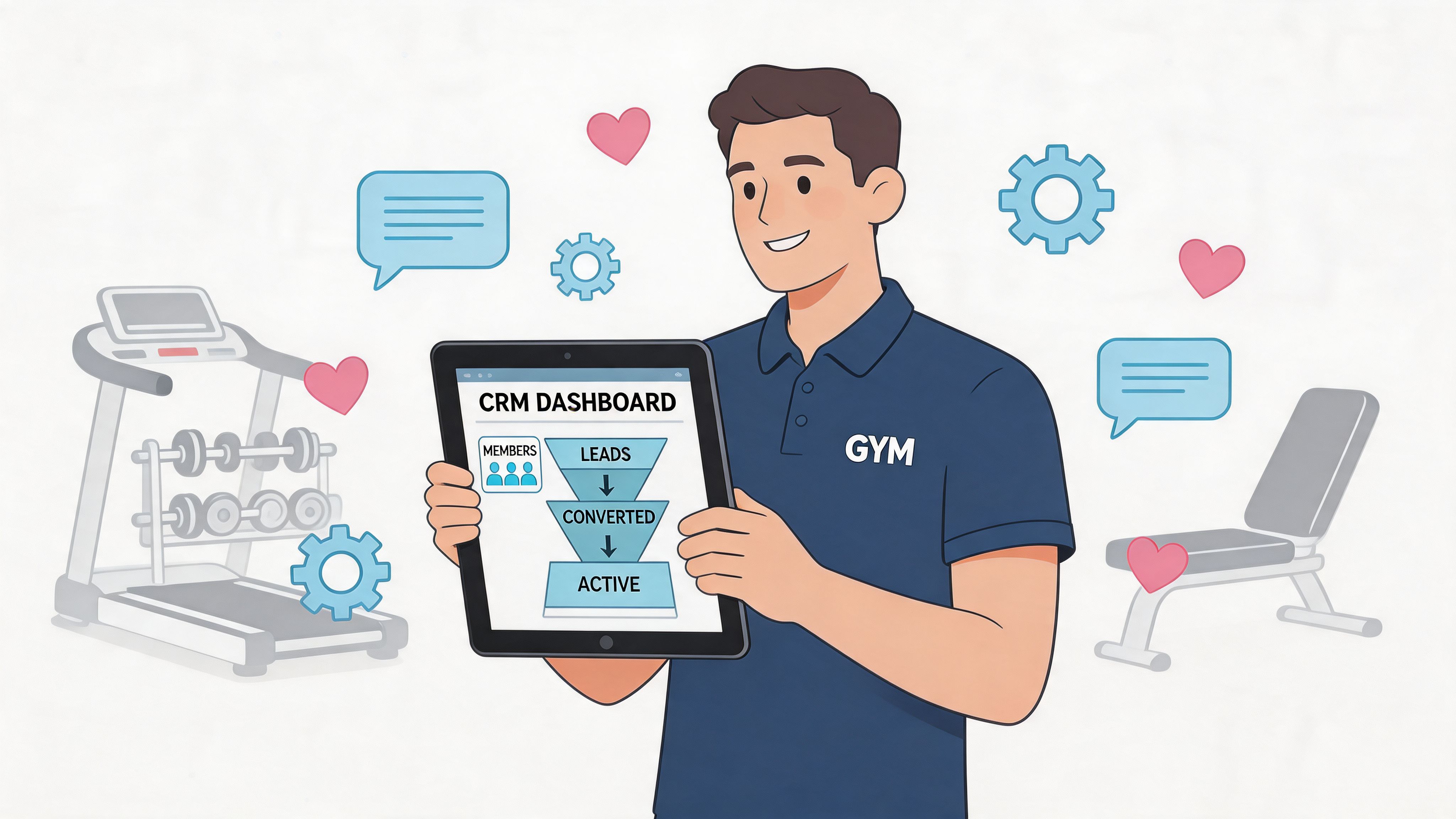
The gym CRM software market was valued at $16.88 billion in 2024 and is projected to reach $38.05 billion by 2032, with a 14.3% CAGR, according to Superleap’s gym CRM market overview. That number matters because it confirms what operators already feel on the ground. Running a gym now means managing far more than memberships and check-ins.
The gyms that struggle usually don’t have a motivation problem. They have a workflow problem. Leads come in from forms, DMs, referrals, and walk-ins. Trial members need follow-up. Active members need renewals, booking reminders, and retention touchpoints. When all of that lives in spreadsheets, inboxes, sticky notes, and one front-desk employee’s memory, growth starts creating chaos instead of profit.
A good CRM doesn’t just store contacts. It changes how the gym runs each day. Sales gets faster. Retention gets more deliberate. Managers stop guessing and start seeing what’s happening in the pipeline, the class roster, and the member lifecycle.
Your Gym Is Booming But Are You Drowning in Data

Success creates a mess when your systems don’t keep up. A small gym can survive on hustle for a while. Someone answers texts late at night, a coach remembers which trial member seemed interested, and billing issues get cleaned up whenever there’s time. Then the member base grows, classes fill, and the cracks get expensive.
That’s where gym crm software stops being a “nice to have.” It becomes the operating layer that keeps sales, service, and retention connected. The primary benefit isn’t flashy technology. It’s control.
What breaks first in a growing gym
In most facilities, the first signs are easy to miss:
- Lead follow-up gets inconsistent: New inquiries sit too long because staff are coaching, selling, and handling front-desk work at the same time.
- Trial conversions become hard to track: You know people are visiting, but you can’t quickly see who attended, who ghosted, and who needs a personal follow-up.
- Retention becomes reactive: The team notices churn after the cancellation, not when attendance starts dropping.
- Reporting becomes fragmented: Revenue may live in one system, bookings in another, and prospect notes in someone’s phone.
None of this means the gym is poorly run. It means the business has outgrown manual coordination.
Practical rule: If your team can’t answer “Who are our hottest leads?” and “Which members are at risk?” without opening three tools, you need a better system.
Why a gym-specific CRM matters
Generic CRM tools can store contacts and tasks. They usually fall short when the business model depends on recurring billing, class bookings, trial workflows, freezes, renewals, and trainer-led follow-up. A gym-specific platform understands the member lifecycle from lead to long-term retention.
That matters because the daily questions in fitness are operational, not theoretical. Did the prospect book their intro? Did they show up? Has their attendance dropped? Did the failed payment get resolved? A proper gym CRM connects those answers.
Here’s a quick snapshot of what owners should evaluate first:
| Platform type | Best fit | Main strength | Common weakness |
|---|---|---|---|
| Generic CRM | Very customized sales teams | Flexible pipelines | Weak gym operations link |
| Gym management tool with CRM add-on | Most independent gyms | Billing, scheduling, CRM in one place | Some CRM modules feel limited |
| Enterprise fitness platform | Multi-location operators | Reporting depth and centralization | Complexity and cost |
| Boutique-focused platform | Studios with strong class culture | Member app and booking experience | Sales workflow may be lighter |
Most owners don’t need the biggest system. They need the one that removes friction from everyday work.
Essential Gym CRM Features for Sales and Retention
The broader gym management software market is projected to reach $63.94 billion by 2035, growing at a 18.64% CAGR from 2025 onward, and membership management holds the largest market share, according to Market Research Future’s gym management software report. That tracks with what drives results in a gym. The best systems don’t win because they have more menus. They win because they help owners convert interest into memberships and keep members engaged after signup.

Sales features that actually matter
A sales workflow in fitness is short, human, and time-sensitive. Most prospects won’t tolerate a slow response or a clumsy booking process.
The first feature to insist on is lead capture from multiple sources. Your CRM should collect website forms, trial requests, referrals, walk-ins, and campaign inquiries into one place. If staff still copy data manually from inboxes to spreadsheets, the process is already losing momentum.
Next is automated follow-up. Not robotic spam. Useful sequences that confirm interest, prompt a booking, remind the lead about the trial, and flag a staff member to step in when needed. Gyms that do this well stay present without sounding scripted.
Then there’s pipeline visibility. Owners need one screen that shows where every prospect sits. New lead. Trial booked. Trial attended. Follow-up pending. Ready to join. Lost. That visibility changes behavior because staff stop treating every contact the same.
If your gym handles a lot of phone inquiries, pairing your CRM with a calling workflow can help. For teams that want call activity tied directly to prospect records, SnapDial's VoIP CRM solutions are worth reviewing because they show how voice communication can sit inside a cleaner sales process.
Retention features most owners underuse
Many buyers evaluate gym crm software as if it’s only a sales tool. That’s a mistake. Retention is where a lot of operational value appears.
Look for these features:
- Attendance tracking tied to profiles: You want attendance patterns visible inside the member record, not buried in a separate scheduling view.
- Automated member communication: Welcome sequences, milestone messages, class reminders, payment notices, and re-engagement campaigns should be easy to trigger.
- Churn risk flagging: Some platforms identify members who haven’t checked in recently or whose behavior suggests disengagement.
- Task assignment for coaches or front desk: A flag is only useful if someone owns the follow-up.
- Reporting dashboards: Managers need a practical view of attendance, renewals, new sign-ups, and revenue trends.
A CRM should tell your team who needs attention today. It shouldn’t become another dashboard nobody opens.
The difference between useful automation and noisy automation
Not every automated workflow improves operations. Some create more clutter.
What works:
- A trial member gets a booking confirmation, then a reminder, then a coach follow-up if they miss the visit.
- A member who stops attending triggers a check-in task for the trainer who knows them.
- A failed payment creates an internal alert and a clean member-facing message.
What doesn’t work:
- Every lead gets the same aggressive sequence regardless of interest level.
- Every inactive member receives the same canned message.
- Staff rely on automations so heavily that no one adds personal context.
That’s the core test. Good gym crm software supports human relationships. It doesn’t replace them.
Comparing the Top Gym CRM Software Platforms
The field is crowded, but a few names keep showing up for good reasons. In a 2026 expert comparison, Mindbody scored highest for large operators, Glofox stood out for boutique studios, TeamUp ranked first for complex scheduling, GymMaster was noted for reliable 24/7 door access, and Wodify stood out for retention support through Performance History tracking, according to PushPress’s 2026 gym CRM comparison.
For owners, the practical question isn’t “Which one is best?” It’s “Which one fits the way my gym runs?”
Gym CRM Software Comparison Matrix 2026
| Platform | Ideal For | Lead Management | Retention Tools | Key Differentiator |
|---|---|---|---|---|
| Mindbody | Large and multi-location operators | Strong, but CRM can feel buried | Strong reporting and centralized billing workflows | Best fit when reporting depth matters most |
| Glofox | Boutique studios | Solid for lighter sales needs | Strong member app and booking experience | Intuitive member-facing experience |
| TeamUp | Gyms with complex schedules and multiple instructors | Practical and organized | Good support for scheduling-heavy operations | Ranked highly for complex scheduling |
| GymMaster | Access-controlled facilities and hybrid staffing models | Functional | Useful for member access workflows | Native 24/7 door access integration |
| Wodify | Coaching-led gyms focused on performance culture | Adequate for many box-style sales flows | Strong member motivation via performance tracking | Performance History supports retention conversations |
If you operate outside North America, it also helps to compare broader small-business CRM frameworks. For owners evaluating local support expectations and software fit by region, this guide to top CRM solutions for NZ businesses gives a useful outside perspective on selection criteria.
Mindbody for larger operations
Mindbody makes the most sense when centralization outweighs simplicity. Multi-location teams usually care about consolidated reporting, broad integrations, and standardized billing controls. It’s powerful, but some independent owners find that the CRM side isn’t front and center enough.
Mindbody is often chosen for depth, not for elegance.
If you run several locations, that trade-off may be acceptable. If you run one busy gym with a lean staff, the extra weight can slow adoption.
Glofox for boutique studios
Glofox has a strong reputation in studios where booking experience and member-facing polish matter a lot. Yoga, Pilates, and boutique fitness operators often prioritize the app experience because the customer journey is class-driven.
Its strength is the front-end feel. The trade-off is that some owners want a stronger sales engine than a boutique-oriented workflow naturally emphasizes.
TeamUp for scheduling-heavy businesses
TeamUp is a practical option for gyms that juggle many instructors, session types, and waitlists. If your operation lives and dies by calendar control, that matters more than having the most advanced-looking CRM.
The best CRM for a scheduling-heavy gym is often the one that prevents operational confusion before it starts.
This matters for martial arts academies, youth programming, and studios with complicated recurring bookings.
GymMaster for access control and reliability
GymMaster earns attention from owners who need door access tied directly to member status. That’s useful in semi-staffed or 24/7 models where access management affects both labor and member experience.
Its value shows up in operations. If your front desk handles many exceptions manually today, access integration can remove a lot of avoidable friction.
Wodify for performance-led retention
Wodify is most compelling when coaching data is part of the retention strategy. The Performance History angle gives coaches something concrete to discuss with members, especially in training cultures built around progress, personal records, and accountability.
For gyms reviewing the wider software stack around CRM and member operations, this separate guide to membership software for gyms is a helpful complement when you’re comparing front-desk and billing fit alongside CRM depth.
Understanding Pricing and Calculating Your ROI

Pricing gets misread all the time because owners compare monthly subscriptions and ignore total operating impact. According to Gymdesk’s CRM software pricing comparison, gym CRM pricing typically falls into these tiers: Free at $0, Personal at $10 to $30 per user per month, Business at $35 to $65 per user per month, and Enterprise at $70 to $120 per user per month. The same source notes that a Business tier like WellnessLiving’s $59 per month automation suite can correlate to 10% to 20% retention lifts.
That doesn’t mean every gym should buy more software. It means the monthly fee is only one part of the decision.
What owners usually forget to budget for
The invoice rarely tells the whole story. Before signing, ask about:
- Data migration: Some vendors help clean and import member records. Others leave you to do most of the work.
- Onboarding requirements: Mandatory setup can be useful, but it’s still a cost in money or staff time.
- Add-ons: Marketing, texting, branded apps, and premium reporting may sit outside the base plan.
- Training time: A cheaper tool that nobody uses well can cost more than a higher-tier tool your staff adopt quickly.
A platform becomes expensive when it creates workarounds. If your team still uses side spreadsheets, personal phones, or manual booking notes, the software isn’t covering the job.
A simple ROI framework
Use a practical model instead of guessing. Estimate value in three buckets:
- More conversions from better lead handling
- Better retention from structured follow-up
- Admin time returned to staff and managers
Then compare that total against subscription cost, setup cost, and the labor required to run the system properly.
Working rule: Calculate CRM ROI from behavior changes, not feature lists.
If you want a more detailed method for building the numbers behind that decision, this walkthrough on how to calculate return on investment is a useful companion.
What good ROI looks like in practice
The best returns usually come from ordinary improvements repeated consistently. A lead gets contacted faster. A missed trial visit triggers follow-up. A coach sees declining attendance and reaches out before cancellation. A manager stops spending hours reconciling lists across tools.
That’s why the middle pricing tier often fits independent gyms well. It tends to include the automations, billing workflows, and reporting that change daily operations without forcing owners into enterprise complexity they won’t use.
Planning Your CRM Migration and Implementation
One of the strongest realities in this category isn’t about software capability. It’s about hesitation. According to Mako CRM’s gym CRM analysis, 40% of independent gyms still lack a CRM, even though gyms switching to CRM see 20% to 25% better retention and recover 10 to 15 hours per week of admin time. That gap exists because implementation feels risky.

Start with a smaller operational target
The biggest implementation mistake is trying to rebuild the whole business in software during week one. Don’t start with every edge case, every automation, and every report.
Start with the workflows that affect money and member experience first:
- New lead capture
- Trial booking and follow-up
- Membership billing
- Attendance visibility
- At-risk member outreach
If those five areas work cleanly, the CRM will already remove pressure from the operation.
Clean your data before moving anything
Bad data poisons a new system fast. Duplicate records, outdated phone numbers, inconsistent membership statuses, and old tags create confusion that staff will blame on the platform.
Before migration, review:
- active members
- frozen members
- former members worth keeping for reactivation
- open leads
- staff ownership of each contact
- billing status and contract notes
This isn’t glamorous work, but it’s where a smooth rollout begins.
A messy migration doesn’t fail because the software is weak. It fails because the gym imports years of bad habits into a new dashboard.
Train for real tasks, not generic features
Staff don’t need a tour of every menu. They need to know how to do the things they do every day. Train the front desk on lead intake, booking, notes, and payment issues. Train coaches on attendance review and retention follow-up. Train managers on pipeline review and reporting.
That’s also how you reduce resistance. People accept new systems faster when they see how the tool removes confusion from their role.
Run parallel for a short period
For a brief transition, keep your old process available while the team works inside the new CRM. Use that period to catch missing fields, broken automations, or membership logic that needs adjustment.
Then shut down the old workarounds. If you allow the team to keep using side spreadsheets indefinitely, adoption stalls.
Solo owners should be even stricter here. Limited staffing makes discipline more important, not less.
Real-World Workflows and Member Journey Use Cases
Features are abstract until you see them inside a real gym day. The value of gym crm software shows up in repeatable workflows. It gives the team a consistent way to move someone from inquiry to membership, then from member to loyal regular.
Workflow one for a new lead
A prospect finds the gym online and submits a trial request. The CRM creates the lead record, tags the source, and sends a confirmation message with booking instructions. If the trial is booked, the system records the appointment and prompts a reminder before the visit.
After the visit, the lead moves into a follow-up stage. Staff can see whether the person attended, who spoke with them, and what objection came up. The next action is clear. Call them, text them, offer a start date, or close the loop.
That’s a major shift from the old model where the inquiry sits in email, the appointment lives in a calendar, and the follow-up depends on memory.
Workflow two for onboarding a new member
Once someone joins, the CRM should trigger a structured welcome flow. That might include a welcome message, first-week class reminders, profile completion tasks, and internal notes for coaches about goals or concerns.
A common issue for many gyms is a loss of momentum. A great sale gets followed by a weak onboarding experience. The member pays, attends once, then drifts. A CRM helps the gym create continuity between the sales promise and the early member experience.
A useful sales setup often depends on having clean stages and clear ownership. If you want to refine that side of the process, these sales pipeline management best practices map well to gym membership selling.
Workflow three for an at-risk member
An established member’s attendance begins to drop. The CRM flags the pattern, and a coach or manager receives a task to reach out. The message isn’t random. It’s informed by attendance, training history, and whatever notes already live in the profile.
The best retention follow-up sounds like one person noticing another person, not like a campaign firing from a machine.
A coach might ask how training is going, suggest a class time that fits the member’s routine better, or invite them back into a program they previously liked. That kind of outreach works because it’s timely and specific.
Workflow four for management review
Managers need more than reports. They need operational rhythm. A well-set CRM lets the team review hot leads, no-shows, aging trials, declining attendance, and unresolved billing issues in one routine meeting or daily check.
That turns management into a habit instead of a cleanup exercise. The gym stops reacting late and starts intervening earlier.
Maximizing Your Investment and Member Experience
The right gym crm software changes how a gym runs. It gives sales a visible pipeline, gives coaches retention cues they can use, and gives owners a cleaner way to manage the business without living in spreadsheets.
The gyms that get the most value usually do four things well. They choose software that matches their model, keep the implementation focused, train staff on daily tasks, and review workflows regularly instead of “setting and forgetting” the system.
But software only carries part of the member experience. The physical environment still matters every day. Members notice whether equipment is clean, high-touch surfaces are maintained, and the facility feels cared for. A simple sanitizing routine for benches, handles, front-desk counters, locker touchpoints, and shared accessories supports retention just as much as a polished app does.
For a practical setup, keep disinfecting stations visible, assign wipe-down checks by shift, and build cleaning into opening, midday, and closing procedures. If you want a straightforward option for staff and members, Wipes.com Disinfectant Wipes are worth keeping on hand so equipment stays sanitized and ready for the next session.
Frequently Asked Questions About Gym CRM Software
Is gym crm software different from gym management software
Sometimes yes, sometimes no. Some platforms are true gym management systems with CRM built in. Others are CRM tools layered on top of billing and scheduling tools. The distinction matters because some products handle sales beautifully but don’t connect well to attendance, payments, or class operations. For most independent gyms, the best fit is usually a system where CRM and gym operations share the same data.
Do I need a branded member app
Not always. A branded app can improve the experience for class bookings, schedule visibility, and communication, especially in boutique studios or premium memberships. But it isn’t automatically the best investment. If your sales process is disorganized and your retention workflow is weak, fix those first. A polished app won’t compensate for inconsistent follow-up.
Can these platforms handle personal training and classes together
Many can, but the quality varies. Some systems are strongest in recurring class bookings. Others do a better job with appointment-based services like consultations and personal training. Before buying, test both workflows. Don’t assume that because a platform books classes well, it will also manage trainer availability, session packages, and notes cleanly.
How should I think about data security and compliance
Ask direct questions. Where is data stored? What permissions can staff roles have? How are cancellations, waivers, and communication records tracked? If you serve members across regions with privacy requirements, make sure the vendor can explain how they support your obligations. Security is partly technical and partly procedural. The strongest platform in the world won’t protect you if staff share logins or overuse broad admin access.
Will a CRM still work if I open a second location
Yes, if you choose with scale in mind. Multi-location growth changes the requirements quickly. You’ll care more about shared reporting, staff permissions, centralized billing visibility, and whether one lead database can support separate locations without confusion. Even if you only have one gym today, ask how the software handles additional sites before you sign a long agreement.
What’s the biggest mistake owners make when buying
They buy based on a demo instead of a workflow. Demos are polished. Your operation isn’t. Ask the vendor to show exactly how the system handles a new lead, a missed trial, a failed payment, an at-risk member, and a staff handoff. If those workflows feel clumsy during the sales process, they’ll feel worse when your team is busy.
If you want more practical guidance on selling memberships, improving retention, and choosing systems that fit real gym operations, visit Gym Membership Tips.
Leave a Reply