Your front desk opens at 6 a.m. By 8:15, someone’s been double-booked, a trainer is texting a client to confirm a session that should’ve been confirmed automatically, and one no-show has already blown a hole in the morning schedule. At noon, your manager is still untangling spreadsheet edits from last night. By the evening rush, nobody’s fully sure which package balances are current and which clients need to be rebooked.
That’s the point where manual scheduling stops being a harmless habit and starts acting like a tax on your business.
Personal training scheduling software fixes the obvious problems first. It centralizes bookings, trainer availability, reminders, and payments. The bigger win is less obvious. Used well, it becomes part of your retention system. It tells you who’s booking consistently, who’s drifting, which packages are getting used, and where your team is leaking revenue through friction.
Your Gym's Scheduling Nightmare Ends Here
Most gym owners start with a patchwork system because it feels manageable. A shared calendar, a spreadsheet, text messages, maybe a payment app on the side. That setup works until volume rises. Then every moving piece starts breaking at once. One trainer updates availability in one place, the front desk tracks it in another, and the client sees something else entirely.
That’s why personal training scheduling software has moved from “nice to have” to standard operating infrastructure. The global personal training software market was valued at USD 1.8 billion in 2024 and is projected to reach USD 2.45 billion by 2033, according to Straits Research's personal training software market report. That projection matters because it reflects where operators are putting their attention. They aren’t buying software just to look organized. They’re buying a strategic advantage.
Booking is the surface problem
The mistake I see most often is treating scheduling software like a digital appointment book. That’s too narrow. Booking is only the visible part of the issue. Underneath it sit client consistency, package usage, trainer utilization, and communication habits.
Existing guides often miss that retention layer. They compare calendars, reminders, and mobile apps, but they don’t spend enough time on how scheduling behavior ties into membership growth and long-term client value. If your software can tell you when a client stops attending, but your business has no process for acting on that signal, you’ve only solved half the problem.
Good operators don’t just automate the booking. They automate the follow-up that keeps clients from fading out.
If you want a practical example of how one-on-one positioning and client experience shape demand before scheduling even starts, it’s worth taking a look at this view Alexonraw one-on-one session. It’s a useful reminder that the software should support the offer, not try to rescue a weak one.
A lot of owners also benefit from comparing this broader strategy against a gym-specific lens. This guide to scheduling software for gyms is helpful if you’re evaluating how PT scheduling fits into the rest of your operation.
The real shift
The critical shift happens when you stop asking, “How do I organize trainer calendars?” and start asking, “How do I make scheduling help me keep members longer?”
That question changes what you buy, how you configure it, and what your team measures every week.
Beyond Calendars An Air Traffic Control System For Your Gym
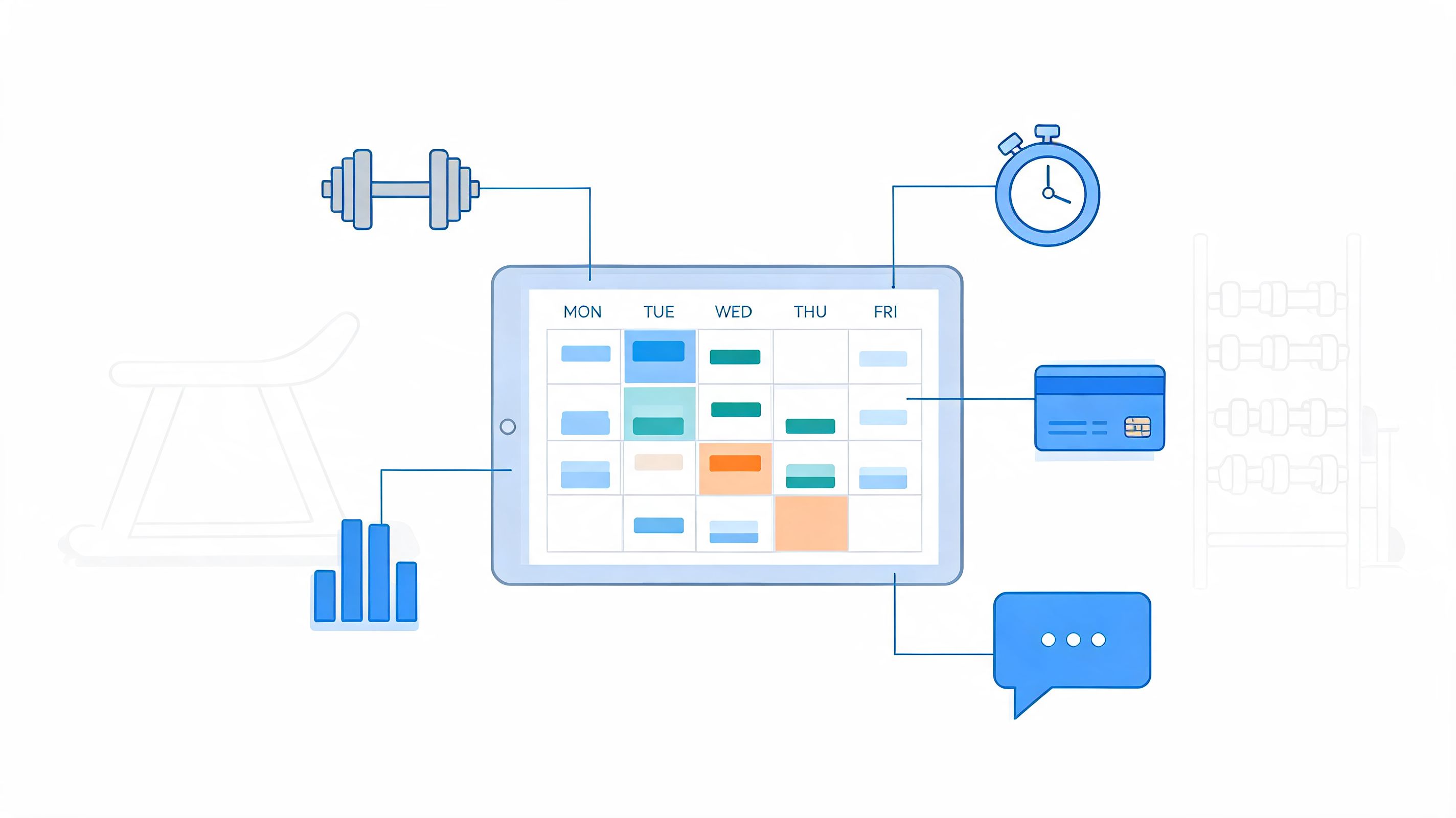
A strong personal training scheduling software platform does far more than hold appointments. It acts like air traffic control for your gym. It coordinates movement, timing, capacity, communication, and money flow so sessions leave on time, trainers aren’t overloaded, and clients don’t slip through cracks your staff can’t see.

One system replaces five disconnected habits
In struggling studios, the workflow usually looks like this:
- Scheduling lives in one place and only one staff member fully understands it.
- Payments happen somewhere else, which means package counts and account status get checked manually.
- Reminders go out by text, if someone remembers.
- Trainer availability changes informally, often through chat threads.
- Client history sits in notes, not in a usable operating system.
That creates avoidable friction. A client wants to reschedule. The front desk has to check trainer availability, package balance, and room space, then send a follow-up message. None of that is complicated by itself. The problem is repetition. That same sequence happens dozens of times a week.
A proper platform pulls those actions into one place. The client books through an app or link. The system checks availability. The session is tied to the right service. Payment or package usage is recorded. Reminders go out automatically. The trainer sees the update instantly.
What the software is really coordinating
Think about your day from the software’s perspective. It’s not managing “appointments.” It’s managing dependencies.
A single PT session touches several business functions at once:
| Operational area | What the software should handle |
|---|---|
| Client access | Booking, rescheduling, cancellation requests |
| Trainer operations | Availability, location, service type, buffers |
| Revenue control | Pre-payment, package redemption, outstanding balances |
| Communication | Confirmations, reminders, follow-ups |
| Retention signals | Attendance history, missed sessions, drop-off patterns |
That’s why generic scheduling tools often disappoint gym owners. They can book a time slot, but they don’t understand memberships, recurring packages, trainer assignment logic, or service combinations like assessments, semi-private training, and online check-ins.
Visibility changes management
The best systems give owners and managers a live operating view. You can see which trainers are packed, which time blocks sit empty, which clients book consistently, and where cancellations are clustering. That visibility changes decision-making.
Instead of reacting to chaos, you can make better calls on:
- Trainer coverage
- Session spacing
- Premium time slot pricing
- Waitlist use
- Package design
- Client reactivation
Practical rule: If a platform only helps you fill the calendar but doesn’t help you understand attendance behavior, it’s a booking tool, not a business system.
The strongest setups also reduce internal arguments. When trainers, front desk staff, and managers all work from the same source of truth, fewer disputes come from memory, screenshots, or side conversations.
Where operators go wrong
The wrong way to buy personal training scheduling software is to shop for the prettiest calendar. The right way is to ask whether the system can coordinate the entire client journey from inquiry to repeat booking.
That includes first session setup, recurring session logic, communication triggers, and the reporting you need to decide who requires outreach. Once owners see the software this way, implementation gets sharper because they stop configuring it around convenience alone and start configuring it around control.
The Undeniable Business Case For Automated Scheduling
If software didn’t save time or protect revenue, this would be a short conversation. But the business case is stronger than most owners realize.
Fitness studios using dedicated scheduling software save an average of 8–10 hours per week on administrative tasks. Trainers using these platforms can handle 2.8 times more clients and spend 44% less time on admin, according to Anolla's review of personal training software. Those aren’t abstract gains. They show up in payroll pressure, schedule capacity, and how much energy your team has left for actual coaching.
Time you get back
The first return comes from removing repetitive work your staff should never be doing by hand.
That includes:
- Confirmation chasing that software can send automatically
- Reminder texting that doesn’t need staff involvement
- Back-and-forth rescheduling when clients can handle it themselves
- Manual package checks before every booking
- Waitlist outreach that should fill canceled slots on its own
When studios reclaim those hours, they usually don’t hire fewer people. They use the same people better. Front desk staff can focus on arrivals, sales conversations, and member service instead of acting like human glue between disconnected systems.
Capacity without admin bloat
The second return is operational scale. More clients usually create more paperwork in a manual environment. Automated scheduling breaks that pattern. A trainer can expand their book without proportionally expanding text chains, DMs, and calendar cleanup.
That’s the reason automation should be judged by capacity, not just convenience. If your best trainer is capped because admin work keeps swallowing the day, software solves a growth problem, not just a nuisance.
One useful example from outside fitness is how businesses connect inbound conversations to bookings. A tool like this Calendly integration for live chat shows the larger principle well. The less friction between inquiry and confirmed appointment, the fewer opportunities you give a lead to cool off.
Studios rarely hit a growth ceiling because demand disappears. They hit it because their systems can’t absorb more activity cleanly.
Better client experience drives the economics
Clients don’t describe this as “workflow efficiency.” They describe it as ease. They can book at night, move a session without calling the desk, and get clear communication without waiting for a reply.
That matters because client behavior changes when booking gets easier. People follow through more consistently when the process feels simple and predictable. Staff also sound more professional when policies and confirmations come from a clean system instead of improvised text messages.
A few operational benefits tend to stack together:
- Clients book faster because they can act when they’re motivated.
- Trainers stay focused because they aren’t buried in logistics.
- Managers get cleaner oversight because bookings, usage, and attendance sit in one place.
The strongest financial argument for personal training scheduling software is simple. It protects coaching time. Coaching time is what clients pay for. Admin time is what owners absorb unless they automate it.
Must-Have Features That Drive Growth And Retention
Most feature lists are too shallow. They tell you what a platform includes, but not why it matters operationally. In a gym, every feature should earn its keep by solving a business problem. If it doesn’t improve booking flow, reduce leakage, support retention, or sharpen decision-making, it’s decoration.

Features that protect revenue first
Start with the features that stop avoidable losses.
Automated reminders and integrated pre-payment are at the top of that list. Automated reminders combined with integrated pre-payment gateways can reduce no-shows and cancellations by 40-60%, and missed 60-minute sessions can represent an opportunity cost of $50-$150 in urban markets, according to Schedly's guide to scheduling software for fitness trainers and gyms. That’s why reminder settings and payment logic should never be treated as optional setup details.
Look for these core controls:
- Automated reminders that support email, SMS, or both at useful intervals
- Integrated payments so clients commit at the point of booking
- Cancellation rules that enforce your policy consistently
- Waitlist automation so open slots don’t sit empty
If a platform has reminders but no payment tie-in, you’ll still lose revenue through weak commitment. If it has payment collection but no waitlist logic, cancellations still create dead air in the schedule.
Features that make booking easier for clients
Friction kills follow-through. A client who has to message, wait, confirm, and pay separately is much more likely to delay. Delay turns into skipped sessions, and skipped sessions often become churn.
That’s why self-service matters. Clients should be able to:
- Book from mobile
- Reschedule without calling the desk
- See trainer availability clearly
- Use package credits automatically
- Receive immediate confirmation
A clean self-service flow also reduces the emotional burden on staff. Nobody wants the front desk spending half the day negotiating calendar swaps that software should handle.
For studios trying to connect booking behavior to wider relationship management, it helps to think beyond scheduling alone. A solid gym CRM software guide can help you evaluate how attendance data, follow-up, and sales workflows connect back to retention.
The best client experience is usually the one that removes the need for staff intervention.
Features that support recurring revenue
One-off bookings are easy to manage. Recurring services form the core of the business. That means your system needs to understand packages, repeated appointments, and trainer allocation over time.
Here’s what I look for when reviewing a platform for a PT-heavy studio:
| Feature | Why it matters in practice |
|---|---|
| Recurring booking rules | Keeps committed clients on the calendar before gaps form |
| Package tracking | Prevents undercharging and awkward balance disputes |
| Trainer availability controls | Stops accidental overbooking and inconsistent handoffs |
| Multi-service support | Lets you sell assessments, PT, semi-private, and virtual under one roof |
| Reporting dashboards | Helps managers spot underused offers and at-risk clients |
Recurring booking is especially important. When clients leave each session without the next one locked in, attendance often becomes optional in their mind. Strong software keeps momentum from slipping.
Features that help retention, not just operations
Many owners underbuy. They choose software that handles bookings, but not the reporting or communication needed to keep clients engaged.
Retention-supportive features include:
- Attendance history that makes drop-off visible
- Post-session notes or summaries
- Flagging for missed visits or repeated cancellations
- Segmented communication triggers
- Progress or milestone tracking
These aren’t “extra” features for larger chains. They matter for independent studios too, because they tell your team when to intervene before a client drifts away.
What doesn’t matter as much as vendors claim
Be careful with features that demo well but don’t affect the actual client journey. Fancy interface polish is nice. Massive exercise libraries can help some models. But if the basics around booking, payment, reminders, package control, and attendance intelligence are weak, the platform will create work instead of removing it.
A good buying rule is simple. Prioritize the features that reduce friction, enforce policy, and create timely visibility. Those are the ones that drive growth and retention.
How To Choose The Right Scheduling Software For Your Gym
Buying software gets easier when you stop asking, “Which platform is best?” and start asking, “Which platform fits the way our gym operates?” A solo PT business, a semi-private training studio, and a multi-trainer facility don’t need the same setup. The wrong purchase usually comes from copying another operator’s stack without checking whether their workflow matches yours.
Start with your operating reality
Before you book demos, write down how your business works today.
Include things like:
- How many trainers need access
- Whether you sell one-on-one, semi-private, classes, or hybrid services
- How clients currently book
- Who manages cancellations and reschedules
- Whether packages, memberships, and drop-ins all need different logic
Don’t skip this step. Owners who go straight to product demos often get impressed by features they’ll never use and miss the limitations that will frustrate them every day.
Judge software as a system, not a screen
A polished interface matters, but it shouldn’t dominate the decision. Ease of use is only one part of the picture. You also need to know how the software behaves when your gym gets busy, a trainer changes availability, or a client wants to move from one package type to another.
If you want a broader lens on tools that remove repetitive manual work across a business, this roundup of small business automation tools is useful context. It helps owners think in workflows instead of isolated features.
A strong demo answers hard operational questions. A weak demo just shows you a pretty calendar.
Use a scorecard during demos
Don’t trust memory after two or three vendor calls. Use a simple comparison sheet and score each platform the same way. That keeps your team from making a decision based on personality, branding, or whichever rep gave the slickest presentation.
Vendor Evaluation Checklist
| Feature/Criterion | Vendor A Score (1-5) | Vendor B Score (1-5) | Notes |
|---|---|---|---|
| Ease of client booking | |||
| Trainer availability management | |||
| Package and membership support | |||
| Payment integration quality | |||
| Cancellation policy controls | |||
| Waitlist automation | |||
| Reporting and retention visibility | |||
| Mobile experience | |||
| Onboarding support | |||
| Integration flexibility |
Questions worth asking every vendor
Some of the best buying questions are practical, not technical:
- What does setup require from my team?
- How are recurring bookings handled?
- Can clients self-reschedule without creating confusion?
- How are package balances and session redemptions tracked?
- What happens when a trainer is out sick?
- How much support do we get during launch?
The right platform should feel like a better operating model, not just another subscription. If your team already dreads the thought of using it during the demo phase, that friction won’t disappear after purchase.
Your Onboarding Roadmap From Purchase To Payoff
The purchase is the easy part. The payoff comes from rollout quality. I’ve seen gyms choose solid personal training scheduling software and still struggle because they rushed migration, skipped policy cleanup, or trained staff too late. Software rarely fails on its own. Teams usually fail it by importing old chaos into a new platform.

Clean your data before you import anything
Start with client records, trainer schedules, package balances, and service names. Hidden mess frequently shows up here. Duplicate accounts, outdated card details, unclear package labels, and old appointment notes all create confusion if you move them over blindly.
A clean launch usually follows this pattern:
- Remove duplicate client records
- Standardize service names and durations
- Confirm package balances manually
- Review trainer availability for reality, not theory
- Archive inactive data you don’t need day one
If you need a practical framework for the handoff from prospect to active client, this client onboarding process template can help align your scheduling rollout with the wider member experience.
Configure policies before clients see the app
Experienced operators distinguish themselves not merely by setting up the software, but by deciding how the business should run inside it.
That means locking down:
- Cancellation windows
- Late reschedule rules
- Session durations
- Buffer times between services
- Package expiry logic
- Who can override what
A common mistake is leaving too much flexible at launch because nobody wants staff pushback. That usually creates more pushback later when exceptions multiply and clients get mixed messages.
Your software should reflect your policies. It shouldn’t become the place where policies go to die.
Train staff in real scenarios
Staff training works best when it follows actual situations, not abstract feature tours. Don’t just show the team where buttons live. Walk them through what they’ll do when a client cancels late, when a trainer needs coverage, or when a package has one session left.
Focus on role-based training:
| Role | What they need to master |
|---|---|
| Front desk | Booking edits, cancellations, payment status, client questions |
| Trainers | Schedule views, notes, attendance, rebooking workflow |
| Managers | Reporting, permissions, policy overrides, exception handling |
This keeps training relevant and reduces panic on launch week.
Roll clients in with clear messaging
Clients don’t need a technical explanation. They need confidence that booking just got easier. Keep your communication simple. Tell them what changed, what they need to do, and why it benefits them.
The rollout message should answer:
- How do I book now?
- How do I reschedule?
- Where do I see my upcoming sessions?
- How are payments or package uses applied?
- Who do I contact if I get stuck?
Studios that stage the rollout well usually start with existing recurring clients, then expand to everyone else once staff are comfortable. That sequence keeps the launch controlled and gives your team time to resolve the first wave of small issues before they become bigger ones.
Final Thoughts And Essential Gym Hygiene Practices
Personal training scheduling software earns its value when it stops being treated like a calendar and starts being managed like a growth system. The strongest operators use it to protect coaching time, enforce policy, simplify booking, and surface early warning signs around attendance and drop-off. That’s where the substantial return sits.
It also changes the daily feel of the business. Staff stop chasing logistics. Trainers stop patching holes with texts and side notes. Clients experience more consistency. That operational calm creates room for better service, tighter follow-up, and stronger retention habits.
Simple policy templates worth putting into your system
Good software works best with clear rules. If your policies are vague, staff will improvise and clients will test the gaps.
Here are two clean examples you can adapt:
Cancellation policy template
Sessions canceled with less than 24 hours’ notice are charged in full unless the gym approves an exception for emergency circumstances.
Package expiry template
Personal training packages must be used within the active term shown at purchase. Unused sessions after that date aren’t guaranteed unless management approves an extension in writing.
A third policy that often helps is a rebooking rule for recurring clients. If someone pauses attendance, your team should know when to trigger outreach and what offer or conversation comes next. The software can support that process, but the business still has to define it.
What works and what doesn’t
A few closing observations from real implementations:
- What works is a simple booking flow, firm policy settings, strong reminders, and staff training tied to real scenarios.
- What doesn’t is over-customizing on day one, buying based on feature hype, or letting every trainer create their own scheduling rules.
- What keeps clients longer is consistency. Clients stay engaged when booking is easy, communication is clear, and the next step is always obvious.
Software won’t fix a weak service model. It will, however, amplify a strong one.
Don’t ignore the physical side of retention
Operational excellence also shows up in the room itself. Clean benches, disinfected handles, and wiped-down cardio consoles tell clients your gym is managed with care. That affects confidence, comfort, and overall experience more than many owners admit.
Build simple sanitizing habits into your scheduling rhythm:
- Wipe high-touch equipment between sessions
- Sanitize benches, mats, and adjustment points on strength machines
- Keep disinfecting supplies visible so staff and clients use them
- Assign end-of-day cleaning checks by zone
- Restock before the evening rush, not after
For a reliable option, I recommend Wipes.com Disinfectant Wipes for quickly sanitizing equipment, benches, and high-touch surfaces between sessions.
If you want more practical systems for selling, retaining, and onboarding gym members, Gym Membership Tips has useful guides built for operators who want cleaner processes and better results.
Leave a Reply