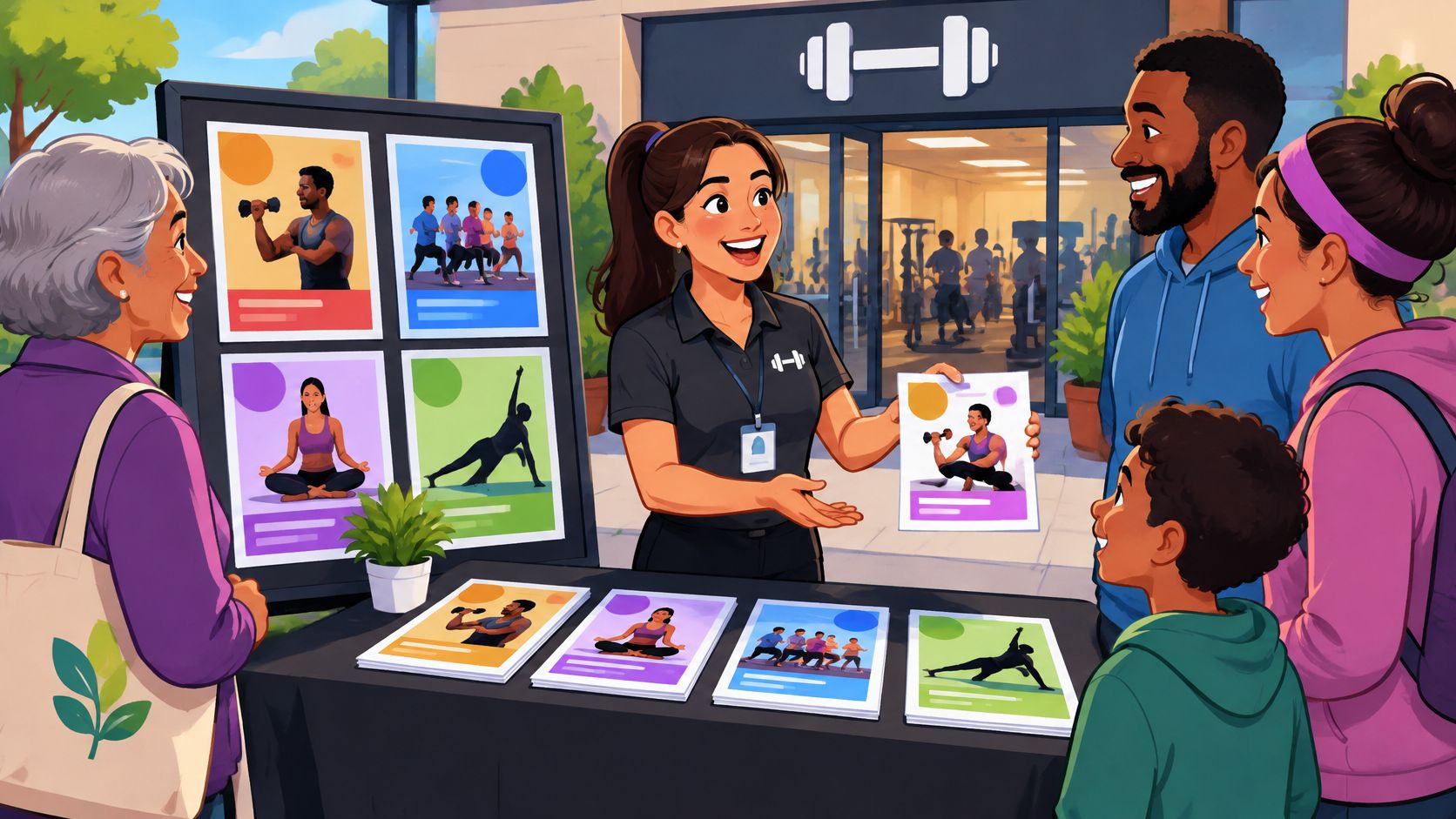
You're setting up a folding table at a neighborhood block party, with a stack of flyers for your gym's free community class. Within minutes, the difference between a polished invitation and a rushed printout becomes obvious: people can either find the class time and signup instructions immediately, or they have to ask what the flyer offers.
A good community outreach flyer template saves design time, keeps your branding consistent, and helps your gym look like a trusted local partner rather than another sales pitch. It should also make the front desk's job easier. Staff shouldn't need to explain missing eligibility rules, correct an old address, or reassure visitors that “free” really means free.
Start with the invitation: Name the activity, explain who it's for, and make the next step visible before adding membership sales copy.
Keep the same offer across your printed handout, signup page, and social posts. This guide to managing social media consistently can help you organize the digital side without giving each channel a different message.
The strongest choice isn't necessarily the most elaborate editor. It's the tool your staff can update correctly before the next class, food drive, or neighborhood cleanup. These editable picks suit different gym workflows, with practical trade-offs to check before you print.
1. Adobe Express Community Flyer Templates

For a gym sponsoring a neighborhood cleanup, Adobe Express's community flyer collection is a sensible starting point. Its examples include cleanups, block parties, charity events, food drives, service trips, and farmers markets, so you don't have to reshape a membership advertisement into a community invitation.
The desktop and mobile editor supports updates away from your office, while digital sharing and U.S. print ordering give you different production routes. Free templates are available, but some designs and editing features require a paid plan.
Best for an event-first invitation
Put the cleanup meeting point and volunteer instructions above the gym promotion. Your logo should identify the sponsor without making the event look like a disguised enrollment appointment.
- Replace before printing: Update the organizer name, partner logos, meeting location, dates, contact details, and any stock photography.
- Check the offer: If volunteers receive a class pass, explain eligibility and booking requirements plainly.
- Watch the trade-off: A community-focused layout can still need substantial rewriting to match your gym's voice.
Use this guide to planning gym community outreach to connect the flyer with staffing, partner coordination, and follow-up. Adobe Express is particularly useful when the neighborhood activity comes first and the gym's involvement supports it.
2. Canva Flyer Templates

Canva is my recommendation for a shared staff workflow. A manager can prepare the invitation, a trainer can confirm class details, and front-desk staff can flag confusing signup language before anything reaches the printer.
The Canva flyer library includes event, food-drive, block-party, and other adaptable designs. Its drag-and-drop editor and shared-design collaboration tools are approachable, although the size of the library can turn template hunting into a distraction.
Use it for recurring community classes
Choose a clean layout, then reuse its structure for changing instructors or neighborhood partners. Basic design and downloads are available free, while some images, elements, brand tools, and print services cost extra.
- Keep consistent: Use the gym's approved colors, logo, class names, and contact information.
- Replace before printing: Remove placeholder pricing, premium assets you haven't licensed, and decorative text that competes with the booking instruction.
- Test the handoff: Have someone who didn't design the flyer explain how to reserve a place.
Treat the print and digital versions as complementary. A field experiment comparing print and online promotional flyers found equivalent purchase-behavior and memory outcomes in its retail campaign, not proof that either format guarantees gym registrations.
Use matching wording across both versions, but track their response routes separately.
3. PosterMyWall Community Outreach Flyer Search

A food drive usually needs more than a handout. You may also need a lobby graphic, an email announcement, and social posts that show the same collection deadline and accepted donations.
PosterMyWall's community outreach flyer search suits that broader campaign. Its editing, resizing, sharing, social publishing, and email tools can help staff adapt the invitation across channels.
A design that looks sharp on a phone isn't automatically ready for a community noticeboard.
Some designs offer free standard-quality downloads, but higher-resolution files and additional campaign capabilities may require payment or a subscription. Check the export you need before spending time customizing the artwork.
Where it works at the community table
For a gym-hosted food drive, make the donation instructions more prominent than the fitness imagery. Identify the receiving organization accurately and confirm its accepted-item list before printing.
- Replace before printing: Change the collection address, opening hours, partner branding, deadline, and donation restrictions.
- Inspect resolution: Print a proof and examine small text, photographs, and the QR code.
- Connect the campaign: Build the flyer around a defined community outreach program, rather than an isolated promotional push.
PosterMyWall is useful when coordinated promotion matters more than having a simple standalone document.
4. Template.net Community Flyer Templates

Start with the editing handoff before choosing a Template.net community flyer. A volunteer coordinator who needs an editable document has different requirements from a designer who wants a layered graphics file.
The collection includes community meetings, volunteer efforts, centers, and local events. Supported designs can be edited online, and available formats may include PDF, JPG, PNG, DOCX, and PSD, depending on the template and plan.
Best for volunteer recruitment
For a gym recruiting helpers for a park activity, choose a participation-focused layout. Readers need to know what they'll do, where they'll meet, what to bring, and whom to contact with questions.
- Confirm the format: Don't assume every design includes every advertised file type.
- Check access: Editing and downloading restrictions vary by template and subscription.
- Replace before printing: Remove sample organization names, generic volunteer duties, outdated dates, and irrelevant registration fields.
Keep the response instruction specific. A retailer loyalty-program field experiment found that flyer distribution and readership didn't appear to change purchasing behavior in the tested setting, a useful warning against treating handouts as results.
Choose a concrete activity from these local outreach ideas before designing. Template.net works best when you already know the event's purpose and need a practical document format to support it.
5. VistaCreate Flyer Templates

A recurring open house shouldn't require staff to rebuild the gym's visual identity every time. VistaCreate's Brand Kit makes it a useful candidate for repeatable outreach materials, especially when the same colors and fonts need to carry across print and social posts.
VistaCreate offers templates and online editing through its free Starter plan, including a Brand Kit and PDF, JPG, and PNG downloads. Social sharing and print-format options support different distribution needs, although content and capabilities can depend on the plan or availability.
Build a reusable invitation
Adapt a general fitness or event design for a beginner-friendly community class. Keep a clean master version, then make event-specific copies so staff don't accidentally overwrite the approved layout.
- Preserve the essentials: Retain the headline position, contact block, logo placement, and response instruction.
- Replace before printing: Update class schedules, instructor names, offer terms, booking destinations, and photography.
- Check the limitation: The library isn't exclusively community-focused, so some designs need a more welcoming tone.
Avoid filling every available space with promotional claims. A flyer for a neighborhood open house should explain what visitors can expect, whether they need exercise clothes, and whether participation requires booking.
VistaCreate suits operators who want consistent materials without creating a different visual style for every event. It's less direct if you need a highly specific volunteer or community-service layout immediately.
6. Fotor Flyer Templates

For a yoga fundraiser, start with a layout that gives the class and the cause equal clarity. Fotor's flyer templates include fitness, yoga, fundraising, information, and event categories, making it a relevant option for that combination.
Fotor offers online customization, ready-made designs, a blank-flyer option, and AI image-generation functionality in its flyer maker. It advertises free templates and editing, but some assets or features may require payment.
Image choice matters: Use an accurate photo of your space when the room, equipment, or accessibility arrangements affect someone's decision to attend.
Generated imagery can be decorative, but it shouldn't imply that your facility has equipment, amenities, or access features it doesn't provide. A realistic invitation builds better expectations than an impressive fictional studio.
Replace the fitness-ad language
A high-energy sales layout may need softer wording for beginners or a charity audience. Make the donation arrangement clear, including whether attendance requires payment and how the fundraiser connects to the beneficiary.
- Before printing: Replace stock branding, sample prices, class descriptions, and any unsupported health promises.
- Before exporting: Confirm premium-asset requirements and the available print-quality output.
- Before distributing: Ask staff to check that the invitation feels welcoming to someone who's never entered a gym.
Fotor is a practical choice for a focused class invitation, provided you verify the final export before committing to production.
7. Visme Flyer Templates

A community wellness workshop needs more explanation than a simple open-house invitation. Readers may need the topic, presenter, access arrangements, booking instructions, and a clear description of what participation involves.
Visme's flyer templates offer structured layouts with browser-based editing and customizable text and visuals. Some templates and tools are available free, while premium capabilities or downloads may require an upgraded plan.
Best for information-led events
Choose a layout with clear sections rather than shrinking the type to fit every detail. Visme's broader business and event categories can work well here, although they aren't exclusively designed for community outreach.
A universal-design study of accessible flyers found improved comprehension, engagement, and usability with clear typography, strong contrast, simplified language, and multimodal access. Apply those principles before adding icons or decorative charts.
- Lead with usefulness: Explain what attendees will learn or do.
- State practical access: Include confirmed step-free access, staff assistance, or other relevant arrangements.
- Replace before printing: Remove dense sample copy, unexplained terminology, placeholder credentials, and tiny footnotes.
Provide a readable digital destination, not just a visually polished PDF. If the flyer mentions a free workshop alongside paid services, separate them clearly so attendees understand what they're booking.
Visme is strongest when organization and readability matter more than an eye-catching party-poster style.
8. Microsoft Word Flyer Templates

Microsoft Word is the practical pick when staff need to edit the invitation without learning a design tool. For a text-forward community walking group or beginner orientation, familiar controls can matter more than elaborate graphics.
Word's flyer templates support editing in Word for the web, including changes to text, headings, and colors. Finished materials can be shared as a PDF or link, with account and feature access depending on the gym's Microsoft setup.
Make the response route inclusive
Don't make smartphone scanning the only way to join. A study involving hard-to-reach populations found that participants used both shortened direct URLs and QR codes, supporting the practical value of offering alternatives.
Include a phone contact, walk-in instructions, or another response method your staff can manage. If you produce translated versions, make sure the signup process and staff response can support those readers too.
- Replace before printing: Update placeholder details, text-box overflow, sample imagery, and the contact person.
- Check the PDF: Confirm page breaks, font appearance, margins, and QR-code readability.
- Accept the trade-off: Fine-grained graphic editing is less convenient than in a design-first platform.
Word works especially well when community partners need to review factual details quickly. Keep the layout simple enough that a routine text edit won't disrupt the whole page.
9. Microsoft PowerPoint Flyer and Poster Templates

A poster on a library noticeboard has a different job from a flyer handed across your folding table. People need to recognize the activity from farther away before they decide to read the details.
PowerPoint's flyer and poster collection includes examples for yoga, food drives, social initiatives, and support groups. Staff can edit layouts, images, and icons in PowerPoint for the web, then save, print, or share the result as a PDF.
Design the noticeboard version for recognition first. Keep detailed instructions on the handout or booking page.
For a gym-sponsored food drive, use a large activity headline and a clearly separated collection location. Don't enlarge the gym logo until it becomes more prominent than the reason people should participate.
Size the file before arranging it
A portrait slide may need adjustment for the intended paper format. Set that format early, because changing it after positioning text and images can create awkward spacing.
- Replace before printing: Change sample dates, partner details, stock icons, and any donation instructions that haven't been confirmed.
- Check from a distance: Make sure the event name and location remain legible on a noticeboard.
- Review the export: Confirm that nothing is clipped and the PDF matches the printer's specifications.
PowerPoint suits teams already comfortable arranging objects on slides. It's less appealing if nobody wants responsibility for page sizing and alignment.
10. Marq Flyer Templates

When different locations run their own outreach, consistency becomes an operational issue. A branch should be able to change its class time without accidentally replacing the approved logo or altering important offer language.
Marq's template collection includes fitness, nonprofit, fundraising, volunteer, and event designs. Its brand controls and template-locking features can support repeatable materials, while print integration connects design with production.
Best for controlled local customization
Use a shared community outreach flyer template with protected branding and clearly editable local details. That approach suits a gym group running neighborhood classes under the same identity.
Free templates are available, but advanced team, branding, and print capabilities may depend on the plan. For an occasional flyer at a single facility, the additional controls may be more tooling than you need.
- Lock deliberately: Protect logos and approved wording without blocking necessary event updates.
- Replace before printing: Confirm the branch address, instructor, schedule, contact route, local partner, and offer eligibility.
- Measure locally: Give placements identifiable response codes and record inquiries, bookings, attendance, and resulting memberships.
Keep the offer rules clear before anybody customizes the design. At Gym Membership Tips, before a discount goes live, we write down four things: its purpose, the exact number of founding spots, the end date of the intro rate, and the standard rate that replaces it.
Marq makes the most sense when multiple staff members need controlled freedom, not unlimited design flexibility.
How the 10 Community Outreach Flyer Template Options Compare
| Item | Community Focus | Free Starting Option | Best For | Output Formats |
|---|---|---|---|---|
| Adobe Express, Community Flyer Templates | Dedicated community-event designs | Free templates; some features are paid | Local events and outreach flyers | Digital sharing; U.S. print ordering |
| Canva, Flyer Templates | General flyer library with community-event designs | Free basic design and downloads | Easy customization and team collaboration | Digital downloads; optional print ordering |
| PosterMyWall, Community Outreach Flyer Search | Search focused on community outreach events | Some free standard-quality downloads | Coordinated event campaigns | Downloads; social media; email |
| Template.net, Community Flyer Templates | Dedicated community flyer collection | Access varies by template and plan | Community meetings, volunteering, and events | PDF, JPG, PNG, DOCX, PSD, depending on template |
| VistaCreate, Flyer Templates | General templates adaptable for community events | Free Starter plan | Branded materials for print and digital use | PDF, JPG, PNG; social sharing |
| Fotor, Flyer Templates | Fitness, fundraising, and event designs adaptable for outreach | Free templates and editing; some paid features | Gym classes and wellness fundraisers | Export options vary |
| Visme, Flyer Templates | General-purpose layouts adaptable for community activities | Some templates and tools are free | Information-led workshops and events | Publish or share; download options may vary |
| Microsoft Word, Flyer Templates | General event and business layouts | Access depends on Microsoft setup | Straightforward, text-forward flyers | PDF; shareable link |
| Microsoft PowerPoint, Flyer and Poster Templates | Includes some community-oriented examples | Access depends on Microsoft setup | Posters for community boards and partner locations | PDF; saved or printed designs |
| Marq, Flyer Templates | Fitness, nonprofit, fundraising, and volunteer designs | Free templates available | Consistent outreach materials across teams or locations | Print and digital materials |
Clean Up, Print Smart, and Start Your First Outreach
Choose the editor your team can maintain, not the one with the longest feature list. Adobe Express offers community-specific starting points, Canva supports shared editing, Word keeps text updates familiar, and Marq suits controlled customization across locations.
Swap in your class schedule, offer, address, and contact details before adding decorative touches. Explain who can attend, whether booking is required, what participants should bring, and whether any paid commitment follows the event.
Proof the invitation and the visitor experience
Print a proof before ordering the full run. Check image sharpness, contrast, margins, and readability, then test the QR code from the printed page rather than only from your monitor.
Ask a colleague to complete the signup journey using the flyer alone. Have front-desk staff confirm that they can explain the offer consistently and record phone or walk-in responses alongside online bookings.
- Prepare the table: Set out readable flyers, working pens, sign-up materials, and clear directions to the activity.
- Prepare the follow-up: Record the placement or event that generated each inquiry, and collect contact information with clear consent.
- Prepare the cleaning supplies: Keep appropriate wipes for gym equipment and separate supplies for other shared surfaces where product compatibility requires them.
Add a cleaning step to every event. The CDC's community-facility guidance recommends regularly cleaning high-touch surfaces and cleaning before sanitizing or disinfecting, because dirt can reduce a disinfectant's effectiveness.
Clean shared clipboards, sign-up pens, and table surfaces, then use EPA registered disinfecting wipes where the product label permits the surface and intended use. The EPA's pesticide-labeling guidance explains that disinfectant claims require registration in the United States and that registered products must be used according to their labels.
Keep a gym wipe dispenser stocked near the front desk so staff can clean compatible equipment surfaces between community visitors. When sourcing supplies from Wipes.com, compare the product's label, surface compatibility, and dispensing requirements rather than choosing disinfecting wipes by packaging alone.
Allow the required wet-contact time. The EPA's disinfectant guidance defines contact time as the period the treated surface must remain visibly wet, so don't instruct staff to wipe and immediately dry.
Pick your template today, complete the event details, and print a proof for the front desk to review. Test the signup route, assign someone to track responses, and stock the cleaning station before taking your invitation to the next community event.
Leave a Reply