Software stopped being a side purchase for gyms a while ago. The global fitness and wellness software market was valued at USD 81.90 billion in 2024 and is projected to reach USD 133.70 billion by 2030, a projected 8.51% CAGR, with hybrid digital and in-person models identified as a key driver according to Research and Markets coverage in Business Wire. That matters because the businesses winning now aren't just selling access to a room full of equipment. They're managing memberships, recurring payments, class inventory, communication, and engagement across multiple touchpoints.
I've seen the same pattern over and over. One facility runs on spreadsheets, separate payment tools, a front-desk clipboard, and a marketing inbox nobody fully owns. Another uses connected software for fitness business operations, knows who missed class yesterday, knows which invoices failed this morning, and can act before a member leaves unnoticed. The difference isn't cosmetic. It's operational.
Why Your Fitness Business Needs Software Now More Than Ever
Hybrid service delivery changed what "running a gym" means. Members expect to book on their phones, pay without friction, receive reminders, and stay connected whether they train on-site, join a livestream, or buy coaching as an add-on. If your systems are manual, your staff spends the day patching leaks instead of creating revenue.
The pain usually shows up in familiar places:
- Billing errors: failed payments sit unresolved because nobody sees them fast enough.
- Scheduling friction: classes fill, waitlists break, and trainers text members manually.
- Poor follow-up: missed visits don't trigger outreach, allowing churn to begin unnoticed.
- Messy reporting: sales, attendance, and accounting live in different places.
A lot of owners still treat software like overhead. That's the wrong frame. Good software for fitness business operations becomes your control panel. It protects recurring revenue, shortens admin time, and gives managers daily visibility into what needs attention.
Practical rule: If your team has to export, retype, or reconcile the same information in multiple places, the process is already too expensive.
The strongest operators don't buy software because it looks modern. They buy it because manual systems hide problems. A class program can look busy while payments are lagging. A sales pipeline can look full while no one follows up on stale leads. Member experience can look fine until cancellations spike.
Software also matters because staff turnover is real. When your processes live in one employee's memory, the business becomes fragile. When the workflow lives in the platform, your operation becomes repeatable. That's what makes scaling possible, even for a single-location studio.
The Core Software Categories Your Gym Needs to Understand
Most software for fitness business setups falls into two broad buckets. One runs the business. The other strengthens the member experience. You need both, but you don't need to buy them in the same way.

All in one versus best of breed
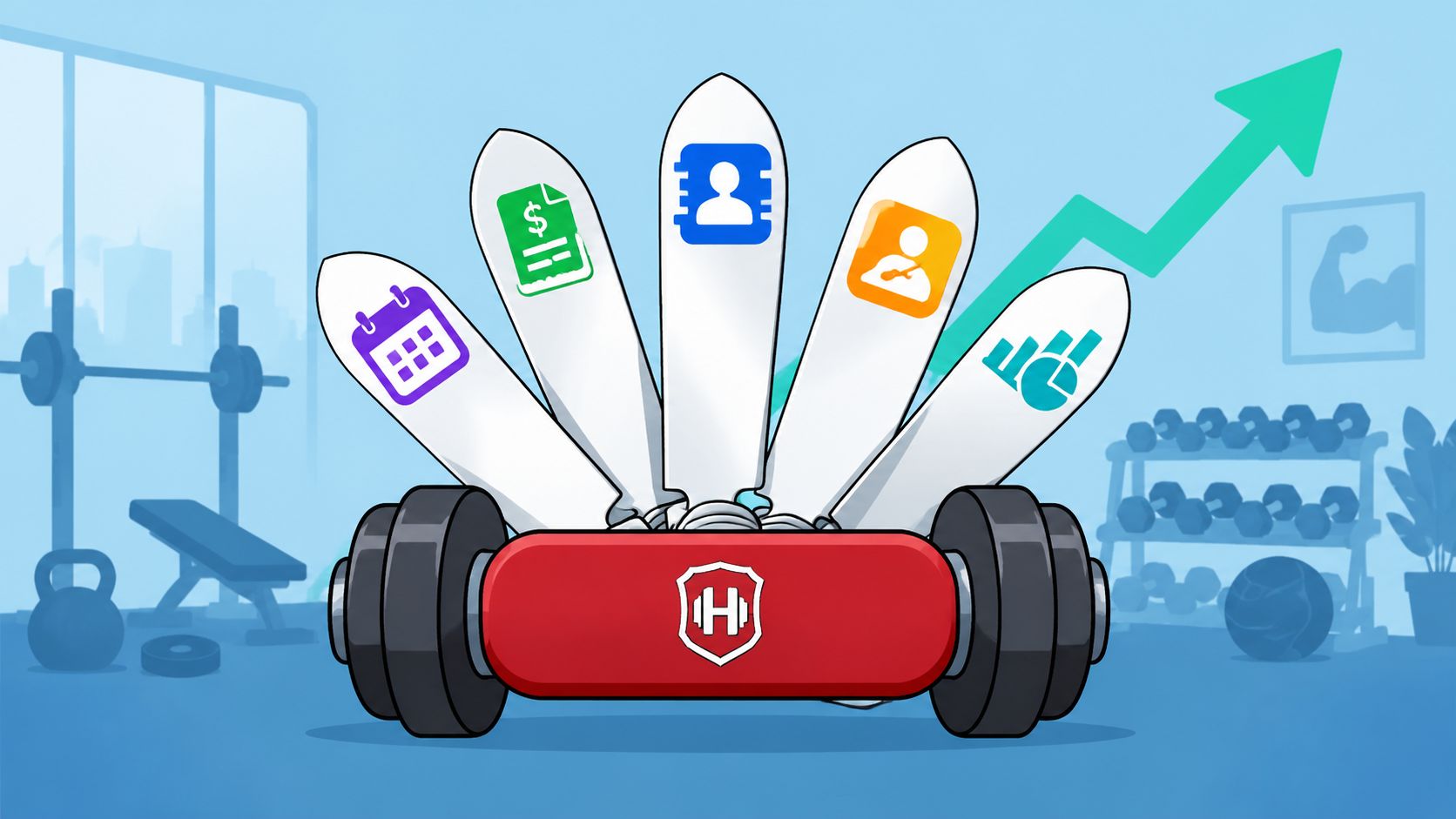
An all-in-one platform is the Swiss Army knife approach. It usually combines membership management, billing, scheduling, CRM, and reporting in one system. This is often the right move for owners who want fewer handoffs, simpler training, and cleaner day-to-day workflows.
A best-of-breed stack uses specialist tools for specific functions. One tool may handle CRM, another scheduling, another accounting, and another training delivery. This can work well when your model is unusual or when one department needs deeper functionality than an all-in-one product can provide.
The trade-off is simple:
| Approach | What works | What often breaks |
|---|---|---|
| All in one | Fewer logins, simpler reporting, easier staff adoption | Some features may feel average rather than deep |
| Best of breed | Stronger specialist functionality | More integration work, more reporting risk, more staff confusion |
If you're still comparing categories, this overview of gym management software options can help frame the decision.
The modules that actually matter
Independent operator guidance from Wexer points to the value of connected systems. Platforms are most useful when they unify membership management, scheduling, payments, and accounting, while automating tasks like class schedules, staff scheduling, email, inventory, recurring billing, online payments, and invoicing through a single operating flow, as described in Wexer's fitness operator technology guidance.
That usually breaks down into a few core modules:
- Membership management: stores profiles, contract status, waivers, and account history.
- Scheduling and booking: handles class calendars, appointments, trainer availability, and cancellations.
- Billing and payments: runs recurring membership charges, invoices, and payment recovery workflows.
- POS and inventory: supports retail sales, add-ons, and stock visibility at the front desk.
- CRM and communication: tracks leads, member notes, and follow-up actions.
- Reporting: turns daily activity into decisions managers can use.
What owners often misunderstand
Owners often obsess over the mobile app and ignore the back office. Members do care about smooth booking. Staff care even more about whether the system creates duplicate work.
If the software looks polished but forces your team to reconcile classes, payments, and member notes by hand, it isn't modern. It's just expensive.
The best setup isn't the one with the longest feature list. It's the one your staff can use consistently, without creating a second job in spreadsheets.
Must Have Software Features for Every Role on Your Team
A software purchase fails when owners evaluate it only from the demo account. The right test is role by role. What does the front desk need at 6:00 a.m.? What does a trainer need between sessions? What does the marketing person need when leads go cold?

Front desk needs speed and clarity
Front desk staff need the system to answer basic questions instantly. Is the member active? Did billing fail? Are they booked? Can they buy a shake, a drop-in, or a package without switching screens?
The features that matter most are:
- Fast member lookup: by name, phone, or scan.
- Clean check-in flow: no extra clicks when the line forms.
- Integrated POS: retail and service purchases in the same workflow.
- Account visibility: balances, waivers, and booking status in one place.
If the front desk has to bounce between tabs, service slows down and mistakes pile up. Members feel that immediately.
Trainers need context, not just calendars
A trainer doesn't need another app that only tells them where to be. They need enough member context to coach and retain. That includes attendance patterns, notes, goals, prior purchases, and communication history.
NASM highlights why CRM-style member tracking matters. Useful systems should capture basics like name, email, location, interests, events attended, purchases, and modality preferences, and they become more valuable when they trigger alerts for retention outreach after attendance drops, as outlined in NASM's guidance on fitness technology workflows.
That translates into practical trainer features:
- No-show alerts: staff can follow up while the absence is still recent.
- Client notes: injuries, goals, preferences, and milestones stay visible.
- Session history: trainers can see what happened before the member walks in.
- Performance engagement tools: in some group settings, heart-rate data and leaderboards can help manage intensity and participation.
For operators comparing role-based retention workflows, this breakdown of CRM software for gyms is worth reviewing.
A trainer who sees declining attendance early can save a member. A trainer who finds out after cancellation can only document the loss.
Marketing and sales need usable segmentation
Marketing teams don't just need a bulk email button. They need clean segments and triggers. New lead. Trial user. At-risk member. Former personal training client. Freeze request. Corporate account. If everyone is dumped into one list, campaigns become noise.
Owners should look for:
- Lead stage tracking: so sales follow-up isn't guesswork.
- Behavior-based outreach: missed class, low attendance, or incomplete onboarding.
- Purchase history: to support upsells that make sense.
- Basic campaign reporting: enough to see what actions create appointments and joins.
Owners need decision grade visibility
Owners shouldn't spend afternoons building reports. They need to open the dashboard and know where to focus. Which payment failures need action? Which classes are underperforming? Which staff workflows are slipping? Which member groups need outreach?
That's where software for fitness business operations moves from convenience to management discipline.
How to Evaluate Vendors and Calculate Your ROI
The gym management software market is projected to grow by USD 209.998 million from 2026 to 2030 at a projected 11.8% CAGR, and the reason is practical. Gyms use software to monitor KPIs such as member retention, customer lifetime value, average revenue per member, utilization rates, engagement, and revenue per square foot, according to Technavio's gym management software market analysis. Those aren't vanity metrics. They drive staffing, pricing, sales follow-up, and churn control.

What to ask in every demo
Most demos are designed to impress. Your job is to stress test the platform.
Use questions like these:
- Show me failed payment handling: What does staff see, and what can be automated?
- Show me a missed attendance workflow: How does the system flag risk and assign follow-up?
- Show me reporting by day: Can a manager see sales, attendance, and billing status without exporting data?
- Show me permissions: What does a front desk user see versus an owner or trainer?
- Show me support reality: Who helps during onboarding and after launch?
Ask vendors to demonstrate the workflow live, not describe it. A lot of software sounds strong in a slide deck and feels clumsy in the actual click path.
Where ROI really comes from
Software ROI in a gym usually comes from four places:
| ROI area | Operational impact |
|---|---|
| Admin reduction | Staff spend less time on manual scheduling, billing, and reconciliation |
| Retention support | Alerts and CRM data help staff contact members before they drift away |
| Lead conversion | Faster follow-up and cleaner pipelines reduce dropped opportunities |
| Decision quality | Better reporting helps owners adjust staffing, pricing, and offers sooner |
This is the right way to think about the investment. Not "What does it cost per month?" but "What expensive friction does it remove?"
If you want a framework for structuring that conversation internally, this guide on how to calculate return on investment is a useful companion.
Common buying mistakes
The most expensive mistakes aren't flashy. They're ordinary.
- Buying for features, not workflows: a long checklist doesn't guarantee a smooth operation.
- Ignoring implementation burden: if setup is vague, expect delays and staff frustration.
- Underestimating reporting needs: dashboards matter more than promotional extras.
- Letting one department choose for everyone: trainers, sales staff, and front desk all use the system differently.
Software earns its keep when managers use it to make daily decisions. If reporting only matters at month-end, you're paying for delayed visibility.
Sample Software Stacks for Every Type of Fitness Business
There isn't one perfect software for fitness business setup. The right stack depends on how you sell, how you deliver service, and how much complexity your team can realistically manage.

Boutique yoga or Pilates studio
This model usually lives or dies on booking experience, instructor schedules, package logic, and community touchpoints. The stack should stay lean.
A practical setup often looks like this:
- Core platform: all-in-one booking, package management, recurring billing, and waitlist handling.
- Communication layer: automated reminders, workshop promotion, and simple member messaging.
- Reporting focus: class fill patterns, attendance consistency, and package usage.
What doesn't work here is overbuilding. Boutique studios often buy broad club software with layers they'll never use. That creates staff confusion and a clunky member experience.
High volume gym or fitness center
A high-volume facility has different pressure points. Check-in speed, access control, billing reliability, broad scheduling, and management reporting matter more than boutique presentation.
This stack usually needs:
- Operational backbone: membership management tied closely to billing and access.
- Scheduling: classes, appointments, and facility resource use under one roof.
- POS: supplements, retail, and ancillary services integrated at the desk.
- Reporting: daily snapshots across sales, utilization, and collections.
Fragmented systems become expensive fast. A large facility can survive average features. It can't survive blind spots.
Personal training studio
A training studio needs depth in client profiles, package tracking, notes, and coaching continuity. The software should help the coach deliver service and protect renewal revenue.
A sensible stack includes:
- Client management: detailed profiles, goals, notes, and purchase history.
- Session scheduling: trainer availability and client self-booking.
- Billing: package-based invoicing and recurring services where relevant.
- Engagement tools: messaging, progress tracking, and simple accountability touchpoints.
Some owners also use educational resources from Gym Membership Tips when reviewing sales process and membership workflow decisions alongside software choices. That's useful when the software decision is tied to pricing, retention scripts, or lead handling.
The main lesson across all three models is simple. Match the stack to the business model, not to the loudest vendor in your feed.
Your Guide to a Smooth Implementation and Integration
Buying the platform isn't the hard part. Making it work inside a live business is where most projects wobble. Owners assume the software will "handle it" once the contract is signed. It won't. Your team still has to migrate data, clean up processes, assign ownership, and decide how information moves from one part of the business to another.
Start with dirty data, get dirty results
Before migration, clean your member records. Remove duplicate contacts. Standardize status labels. Confirm active billing records. Check whether your staff notes are useful or just years of vague comments nobody can act on.
If you import messy data into a new system, you've just upgraded the mess.
A simple implementation order works better than a big-bang switch:
- Clean the member database
- Set membership and billing rules
- Build schedules and staff permissions
- Test check-in and purchase flows
- Train staff by role
- Launch reporting reviews
Train by job, not by software menu
Generic training sessions don't stick. Front desk staff need check-in, POS, account updates, and booking changes. Trainers need client visibility, notes, and attendance alerts. Managers need reporting, exceptions, and audit habits.
Keep the training practical:
- Use live scenarios: failed payment, missed class, package purchase, freeze request.
- Assign owners: one person owns billing rules, another owns schedule integrity.
- Create daily habits: what each manager checks every morning should be defined.
The best implementation plan is boring on purpose. Clear ownership, small tests, repeatable routines.
Guard against reporting fragmentation
This is the issue most buyers ignore until they feel it. A recent industry discussion on boutique fitness software selection stressed that accuracy in reporting is so important and that reporting needs to be simple enough to fit into daily workflows, while also raising questions about support, customization, branding, and the role of accounting software in the stack, as discussed in this boutique fitness software conversation on YouTube.
Reporting fragmentation in practice:
- Sales totals in one platform don't match accounting totals in another.
- Attendance shows strong usage, but cancellations still rise because retention signals aren't connected.
- Front desk staff update member status in one tool while marketing automations keep using old data.
- Owners make decisions from dashboards that are technically accurate inside one app, but incomplete across the business.
The fix is not always "buy fewer tools." Sometimes the fix is to define the source of truth for each function and make sure managers know where daily decisions come from. If your revenue number lives in one system and your retention actions live in another, someone must reconcile that intentionally.
Unlocking Growth with the Right Digital Tools
The best software for fitness business growth doesn't just digitize the old way of running a gym. It changes how the business behaves every day. Staff follows up faster. Billing problems surface sooner. Trainers see warning signs earlier. Owners stop guessing.
That is the opportunity. Not more dashboards. Better operating discipline.
If you're reviewing your stack this year, start with friction. Where does your team retype information? Where do members wait? Where do missed visits disappear without a response? Where does reporting break the moment you compare sales, operations, and accounting? Fix those first, and the ROI conversation gets much easier.
Growth also depends on what you do with the data once your systems are cleaner. For example, when a gym wants to wake up old prospects, former members, or stale trial leads, targeted outreach matters more than another software add-on. That's where a resource on digital marketing for reactivating customer lists can fit into the bigger picture.
Software won't replace operations. It will expose them.
A final operational note. The digital side of the business matters, but members also judge what they can see and touch. Keep check-in kiosks, POS screens, locker handles, cardio consoles, and free-weight touchpoints on a regular sanitizing schedule. If you want a simple supply option, Wipes.com Disinfectant Wipes are a practical choice for high-touch fitness environments. Clean software helps you run the business. Clean surfaces help members trust it.
Leave a Reply