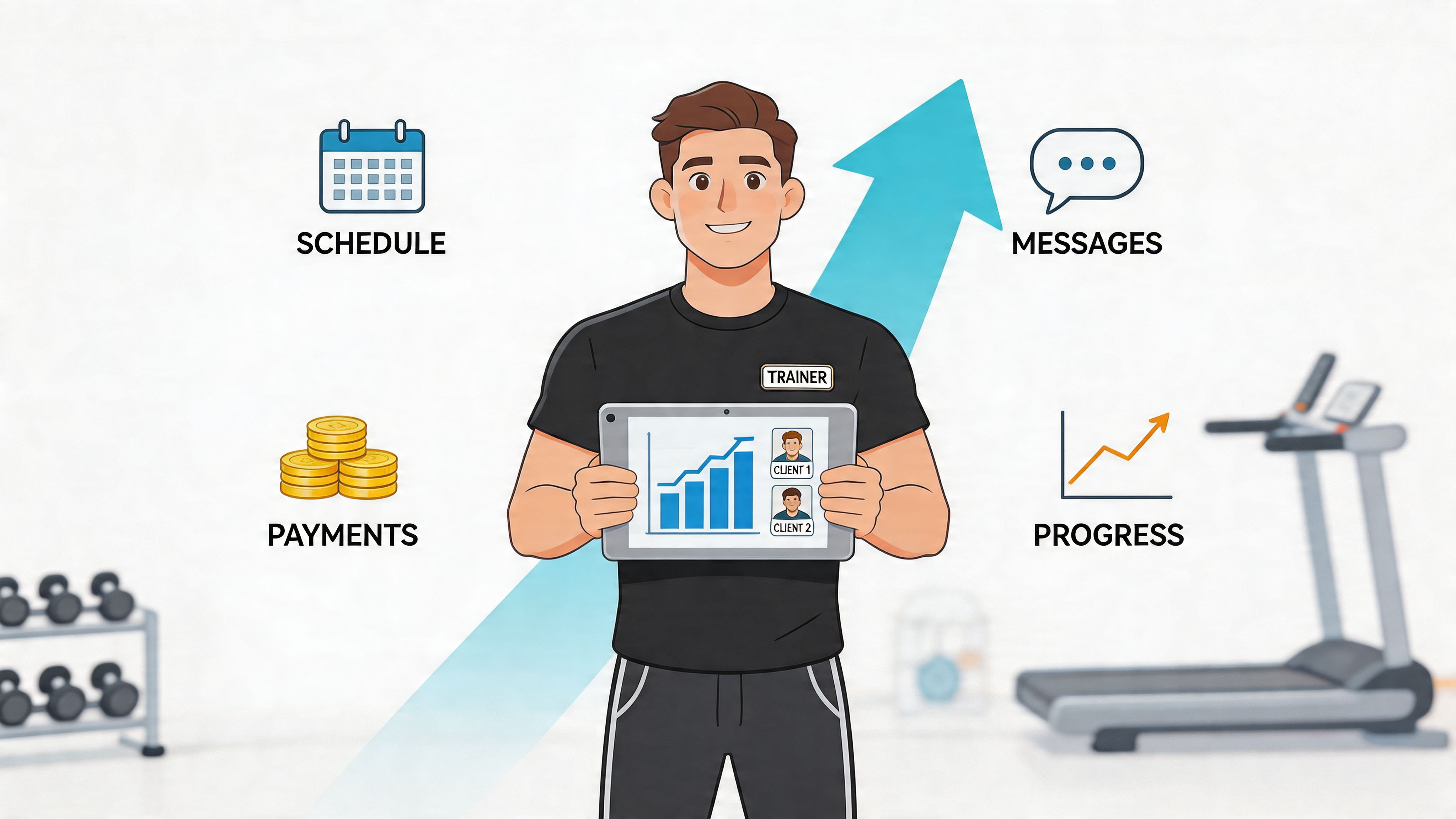
Your day starts with coaching. By noon, you’re answering reschedule texts, chasing unpaid sessions, checking who filled out an intake form, and trying to remember whether a client’s shoulder issue was left side or right side. By evening, your workout design is strong, your client care is real, and your business still feels messy.
That’s the trap. Most trainers don’t have a coaching problem. They have a systems problem.
A good personal training crm doesn’t make you a better coach. It makes your coaching easier to deliver, easier to scale, and much harder for leads, payments, notes, and follow-ups to slip through the cracks.
Stop Drowning in Admin and Start Growing Your Business
At 6:00 a.m., the day looks manageable. By 2:00 p.m., a lead from yesterday still has not been called back, one client has texted to reschedule twice, a payment has failed, and a coach is asking where to find notes from last week’s assessment. I’ve seen that exact pattern in solo PT businesses, private studios, and larger facilities with multiple coaches on the floor.
The problem usually is not effort. It is that the business runs across five disconnected places. Instagram DMs for inquiries. Google Calendar for appointments. A payment app for invoices. Spreadsheets for notes. Staff memory for everything else.
That setup works right up until the business gets busy.
More clients should mean more revenue. In practice, messy admin often turns growth into delay, missed follow-up, and preventable churn. The owner stays fully booked but still feels behind. Staff spend time hunting for information instead of coaching. Clients notice the friction fast, especially when booking, billing, or communication feels inconsistent.
I tell gym owners to watch for one simple warning sign. If a lead, client, or payment can disappear because one person forgot to follow up, the system is too loose.
A CRM fixes that at the process level. It gives you one place to track conversations, appointments, forms, payments, notes, and retention tasks so nothing depends on memory alone. For a broader look at crm software for gyms, compare how different systems handle sales, service, and member management before you buy.
There is a trade-off, and it is worth saying clearly. Setting up a CRM takes work upfront. You need to define stages, clean up contacts, decide who owns follow-up, and train your team to use the same process every time. But that short-term lift usually replaces hours of repeated admin every week, and it closes revenue leaks that owners often accept as normal.
If lead follow-up is one of your weak spots, this overview of automated lead nurturing strategies is useful because it shows how to turn new inquiries into booked consults instead of letting them sit in a queue.
What changes after the system is in place is practical, not theoretical:
- Lead follow-up gets assigned and tracked so inquiries stop dying in inboxes
- Client records stay in one profile so injuries, goals, and session notes are easy to find
- Scheduling gets tighter so your staff spend less time on text ping-pong
- Billing runs on a set process so cash flow is more predictable
- Retention tasks happen on time so at-risk clients hear from you before they drift
That is how a personal training crm earns its keep. It cuts admin drag, protects revenue, and gives you a business you can grow without adding chaos.
What a Personal Training CRM Actually Is
A personal training crm is a digital command center for your fitness business. It’s not just a contact list, and it’s definitely not just a sales tool. It’s the place where the full client relationship lives, from first inquiry to long-term retention.

If someone says they already have a CRM because they use a spreadsheet with names and phone numbers, they’re missing the point. A spreadsheet stores information. A CRM manages relationships and the workflows tied to those relationships.
Think in terms of client lifecycle
A solid CRM tracks the client through every stage:
Lead stage
Somebody fills out a form, sends a DM, calls the gym, or claims a trial. The CRM captures that contact and places them into a pipeline.Consult and conversion stage
You schedule an assessment, record goals, save objections, and log whether they bought a package or membership.Active coaching stage
Session history, attendance, payment status, notes, progress markers, and communication all stay attached to the same record.Retention and reactivation stage
When a client starts skipping, pauses training, or finishes a package, the CRM gives you a way to respond with structure instead of guesswork.
That’s why a generic sales CRM often feels incomplete in fitness. Trainers need a system that handles service delivery, not just lead tracking. If you want a broader look at platform categories, this guide to crm software for gyms is a helpful comparison point.
What sits inside the command center
Most fitness businesses need these functions connected:
Contact and lead management
Names, contact details, source of inquiry, tags, and sales status.Scheduling and booking
Sessions, trainer calendars, availability, and confirmations.Communication history
Emails, texts, reminders, and internal notes.Client service records
Goals, limitations, waivers, session notes, and progress logs.Billing and package tracking
Purchases, recurring payments, expired packs, and failed charges.
Why all-in-one matters
The biggest win is context. When a trainer opens one client record and sees attendance, payment history, goal notes, and communication in one place, better decisions happen faster.
A CRM earns its keep when the coach can answer, “What’s going on with this client?” without opening five apps.
That matters in the middle of a busy day. It matters even more when you have multiple coaches, front-desk staff, and sales responsibilities crossing over. A client shouldn’t feel like they’re starting over every time they talk to your business.
Core Features Every Trainer and Gym Needs
Feature lists are where a lot of CRM buying decisions go wrong. Owners compare logos, dashboards, and price tiers without asking the only question that matters: what business problem does this feature solve?
A good personal training crm should reduce friction in three places. Sales, coaching, and operations. If it only helps with one, you’ll still end up patching together too many tools.

Client profiles that coaches actually use
This is the backbone. If the client profile is weak, everything else gets weaker.
The best setups store more than name, phone, and birthday. Trainers need fields for injuries, movement limitations, nutrition notes, session history, and coaching observations. When that data sits inside the same working profile, coaches stop digging through notes mid-session.
According to Capsule CRM’s fitness CRM guidance, integrated client profiling that includes injuries, nutrition notes, and session history can improve client retention by 25-30% in major markets because coaches can make real-time decisions and predict plateaus without switching tools.
That “so what” matters. Better profiling means:
- fewer repeated questions
- safer programming decisions
- smoother trainer handoffs
- a more personal client experience
It also helps you look prepared. Clients notice when you remember what matters to them.
Progress tracking that supports coaching, not just reporting
Too many systems log data but don’t help you coach. A useful CRM makes progress visible in a way that changes the next session.
You want trend lines, milestone markers, and notes attached to actual training phases. Weight changes, measurements, adherence notes, habit compliance, and performance comments all have value when the trainer can spot patterns quickly.
What doesn’t work is dumping metrics into a system nobody reviews. What works is tying progress tracking to action:
- Plateau response by flagging stalled trends before motivation drops
- Milestone celebrations through automated messages when clients hit goals
- Program adjustments based on adherence and prior session notes
If you run a multi-coach business, this also standardizes service quality. A client gets continuity instead of personality-based recordkeeping.
Scheduling and reminders that prevent revenue leaks
This feature sounds basic until you audit how much money disappears through missed sessions, reschedules, and administrative cleanup.
A CRM should handle bookings, trainer availability, confirmations, reminders, and attendance. It should also show no-show and late-cancel patterns clearly enough that you can intervene early.
Look for:
- two-way booking confirmations
- waitlist support
- attendance tagging
- trainer-facing daily schedules
- automated reminders by SMS or email
The point isn’t convenience. The point is fewer preventable gaps in your day and fewer awkward manual follow-ups.
Field test: If your team still sends reminder texts one by one, the software isn’t doing enough heavy lifting.
Billing and package management that remove awkward chasing
Fitness businesses lose time and goodwill when billing is separate from service delivery. Trainers shouldn’t have to check one app for payment, another for package balance, and a third for attendance.
The CRM should show whether a client is current, overdue, expiring soon, or out of sessions. It should support recurring billing, package tracking, receipts, and simple dunning workflows. If a card fails, staff should know what happens next without making it up on the fly.
Many “cheap” tools ultimately become expensive. They save money upfront and create labor costs every week.
Lead pipelines that match real sales behavior
You don’t need a complex enterprise pipeline. You do need a visible one.
A practical fitness sales pipeline usually includes stages like new inquiry, contacted, booked consult, no-show consult, trial completed, proposal sent, won, and lost. The exact labels matter less than consistency.
What works:
- clear next actions
- lead source tracking
- notes on goals and objections
- automated follow-up tasks
What doesn’t:
- dumping all prospects into one bucket
- relying on memory
- having no distinction between a warm referral and a dead web lead
If your lead management is weak, conversion quality becomes impossible to diagnose.
Reporting that helps owners decide, not admire charts
The reporting dashboard should answer operational questions quickly.
Ask whether the CRM can show:
- lead status by source
- consult-to-sale progression
- attendance patterns
- package expiration risk
- trainer activity
- churn warning signs
Most owners don’t need more charts. They need faster decisions. If Saturday small-group attendance is soft, if one trainer’s clients lapse more often, or if intro sessions aren’t converting, the CRM should make that visible.
There’s another important gap worth noting. Current CRM guidance still underdocuments group and semi-private analytics, even though many studios build profitable mixed models. If your business depends on semi-private training, test whether the platform can track cohort-level engagement, shared billing logic, and group performance in a way that’s useful.
The Business-Boosting Benefits and ROI of a CRM
A CRM should pay for itself in labor recovered, sessions saved, and retention protected. If you can’t explain the return in plain business terms, you’re probably buying software because it looks modern.

The strongest business case usually comes from three areas. Time, attendance, and continuity of service.
Start with recovered time
Hybrid coaching is now used by about 50% of trainers, and CRMs help manage both digital and in-person interactions while reclaiming an average of 15 hours per week otherwise lost to admin, according to Future Market Insights on the personal CRM market.
That reclaimed time is not abstract. It changes what the owner or trainer can do with the week.
Use a simple back-of-the-napkin test:
| Time question | What to estimate | Why it matters |
|---|---|---|
| Admin hours lost | How many hours you or your staff spend on reminders, billing follow-up, and note chasing | Shows how much labor the CRM can absorb |
| Coaching replacement value | What one additional coaching hour is worth in your business | Converts saved time into revenue opportunity |
| Sales follow-up value | How many leads go untouched or too cold because nobody has time | Shows missed growth, not just wasted effort |
If the platform gives you back time that you can turn into consults, sessions, or better client care, that’s return.
No-shows and drop-offs hit twice
A missed session costs revenue in the moment and weakens consistency over time. If a client misses often, they become easier to lose.
Automated reminders, attendance tracking, and clean reschedule workflows not only reduce that drag but also standardize the process so it doesn’t depend on which staff member happens to be on shift.
Owners often underestimate how much preventable friction they’ve normalized. Missed reminders, expired packs, late invoices, and vague follow-up all feel small until you stack them over a month.
Better systems increase usable capacity
One of the biggest hidden returns is capacity. A trainer with better systems can handle more complexity without feeling buried. That doesn’t mean cramming in more people carelessly. It means supporting more active clients with less confusion.
In practical terms, a CRM helps you:
- keep hybrid clients organized
- spot at-risk clients earlier
- maintain consistent communication
- reduce back-office interruptions during coaching hours
That’s why I treat CRM spend as operating infrastructure, not office software. Flooring, payroll systems, and billing rails aren’t optional once you grow. A personal training crm belongs in the same category.
A simple way to judge payoff
Ask four questions:
- Does this reduce labor every week?
- Does this prevent missed revenue from no-shows, expirations, or poor follow-up?
- Does this make clients feel better served?
- Does this support my actual business model, including hybrid or multi-trainer delivery?
If the answer is yes across those four, the ROI argument is already strong. If the software looks slick but still leaves your team juggling reminders, payments, and coaching notes manually, the return won’t show up where it counts.
Your Ultimate Personal Training CRM Selection Checklist
Most bad CRM decisions happen during demos. The vendor shows automation, colorful dashboards, and polished messaging tools. The buyer forgets to ask how the platform works on a hectic Tuesday with reschedules, trainer substitutions, expiring packages, and a client who can only train after a hospital shift.
That’s why your evaluation should run like an interview, not a tour.
Ask questions tied to operations
Current platforms often don’t handle specialized scheduling and communication well for clients with non-traditional needs such as shift workers or individuals with disabilities, as discussed in TrueCoach’s article on diverse population niches. If you serve those populations, this cannot be an afterthought.
Use the checklist below during every demo.
| Evaluation Area | Key Question to Ask | Why It Matters |
|---|---|---|
| Lead management | Can we track leads from website forms, calls, walk-ins, and referrals in one pipeline? | You need one source of truth for follow-up. |
| Client records | Can we customize fields for injuries, medications, movement limits, nutrition notes, and coaching preferences? | Generic profiles create coaching blind spots. |
| Scheduling | How does the platform handle recurring sessions, trainer substitutions, waitlists, and last-minute changes? | Scheduling pain is where many teams abandon software. |
| Accessibility and flexibility | How does the system support shift workers, adaptive communication needs, or clients who need non-standard scheduling? | Inclusive service depends on operational flexibility. |
| Billing | Can it manage recurring memberships, session packs, failed payments, and expirations without manual cleanup? | Billing gaps create staff burden and awkward client conversations. |
| Communication | Can staff text and email from the system while keeping a full history on the client record? | Scattered communication causes missed context. |
| Progress tracking | Can trainers log milestones, notes, and assessments in a way that’s fast during a real workday? | If logging is clunky, your team won’t use it. |
| Reporting | Which reports help us act on lead quality, attendance, and retention risk? | Data matters only if it supports decisions. |
| Mobile usability | What can a trainer do from a phone between sessions? | Desktop-only workflows break in the gym environment. |
| Support and onboarding | What help do we get during setup, migration, and staff training? | Good software still fails without adoption support. |
Watch for these trade-offs
Some systems are strong on marketing and weak on coaching. Others are excellent for workout delivery but thin on sales pipeline visibility. Some are all-in-one but feel rigid. Others integrate widely but require too much manual stitching.
That’s why you should test with your real workflows:
- a new lead from Instagram
- a recurring hybrid client
- a failed payment
- a no-show and reschedule
- a trainer handoff
- a package about to expire
If a platform struggles in those moments, the sleek demo doesn’t matter.
Don’t ask whether the software has automation. Ask what happens after a lead ghosts, a card fails, or a client needs a schedule the default calendar can’t handle.
If you want another angle while comparing tools, GrabGains is worth a look for broader fitness business resources and platform awareness. For a software-specific shortlist, this guide to the best personal training software can help you narrow the field before booking demos.
The shortlist test
A platform makes the shortlist if it passes three tests:
- Your staff can learn it quickly
- Your business model fits inside it without workarounds everywhere
- Your clients will feel the improvement
If any one of those is missing, keep looking.
Smart Implementation and Onboarding Your Team
A CRM doesn’t fail because the software is bad. It usually fails because the setup was rushed, the data was messy, or the team never changed daily habits. Good implementation is operational change management in gym clothes.

The fastest way to kill adoption is to import everything, turn on every feature, and expect staff to “figure it out.” Don’t do that.
Phase one clean the data before you migrate
Export your current client lists, lead lists, package records, and active schedules. Then clean them.
Remove duplicates. Standardize phone numbers and email fields. Archive dead leads that won’t be worked. Decide what historical notes are worth bringing over and what should stay in old files.
This step feels tedious, but it prevents garbage from becoming permanent.
Phase two configure only the workflows that matter first
Start with the processes that touch money and client experience. Leave fancy extras for later.
Your first-wave configuration should usually include:
- lead capture and pipeline stages
- active client profile fields
- session booking rules
- automated reminders
- billing and package logic
- basic retention alerts
According to Nimble’s overview for personal trainers, effective CRM implementation can reduce client no-show rates by 35-50% with automated SMS and email reminders, and integrating billing can reduce administrative time by up to 60%, freeing over 10 hours weekly for higher-value coaching work.
That’s why reminders and billing automations should go live early. The team feels the win immediately.
Phase three train by role, not by feature
Front desk staff, managers, and trainers don’t use the system the same way. Train them on their real daily actions.
A trainer needs to know how to:
- check the day’s schedule
- review client notes
- log session outcomes
- flag concerns
- handle simple communication
A manager needs pipeline visibility, reporting, billing exceptions, and staff accountability tools. A sales-focused role needs task cadence, lead stages, and follow-up discipline.
A team adopts software when each person can see, in one shift, how it makes their own job easier.
For sales process setup, this resource on sales pipeline management best practices is useful because it helps teams define follow-up ownership before leads start piling into the new system.
Phase four roll out in a controlled sequence
Don’t migrate every service line on day one if your business is complex.
A safer rollout often looks like this:
- New leads first so the pipeline starts clean
- Active clients next so scheduling and reminders stabilize
- Billing workflows after validation so you confirm rules before full automation
- Advanced reporting and secondary automations later once daily use is consistent
This sequence lowers stress and makes troubleshooting easier.
What usually goes wrong
Implementation problems are predictable:
Too much customization too early
Staff get lost in fields and tags nobody needed yet.No workflow ownership
Everyone assumes someone else will manage tasks.No usage standards
Trainers log notes differently, or not at all.No feedback loop
Friction points stay hidden until people stop using the system.
Set a short review rhythm during rollout. Check what staff skip, where clients get confused, and which automations need tone or timing adjustments. The goal isn’t perfection. It’s reliable use.
Your Next Steps to CRM Success
Monday at 6:15 a.m., the phones start ringing, two trainers need schedule changes, a trial lead wants a callback, and the front desk is still chasing last week’s unpaid session pack. That is the moment to decide whether your CRM is helping or adding another layer of work.
The next step is practical. Shortlist one or two platforms, then run a live test with your own forms, your own pricing, and your own client scenarios for seven days. Use the checklist from this guide and score each system on the jobs that affect revenue first: lead follow-up, booking changes, renewals, trainer notes, missed-payment handling, and reporting you can read in under five minutes. If a platform looks polished in a demo but slows your team down during a real week, cross it off.
Keep the evaluation simple:
- Can staff learn the daily workflow quickly?
- Can owners spot sales and retention issues without exporting data?
- Can clients book, pay, and get reminders without calling the front desk?
- Can the system save enough admin time to justify the monthly cost?
One more point gets missed during software projects. The client experience is digital and physical. A CRM can tighten communication and reduce admin errors, but retention still depends on what clients see when they walk in. Front-desk tablets, check-in screens, consultation areas, and shared equipment need a clear cleaning routine, especially during busy blocks when standards usually slip.
For studios that want a simple restock option, Wipes.com Disinfectant Wipes fit well at reception, training stations, and consultation desks.
Once your shortlist is done, make the decision, assign one owner, and put a go-live date on the calendar. Teams that wait for perfect conditions usually stay stuck with messy systems longer than they should.
Leave a Reply