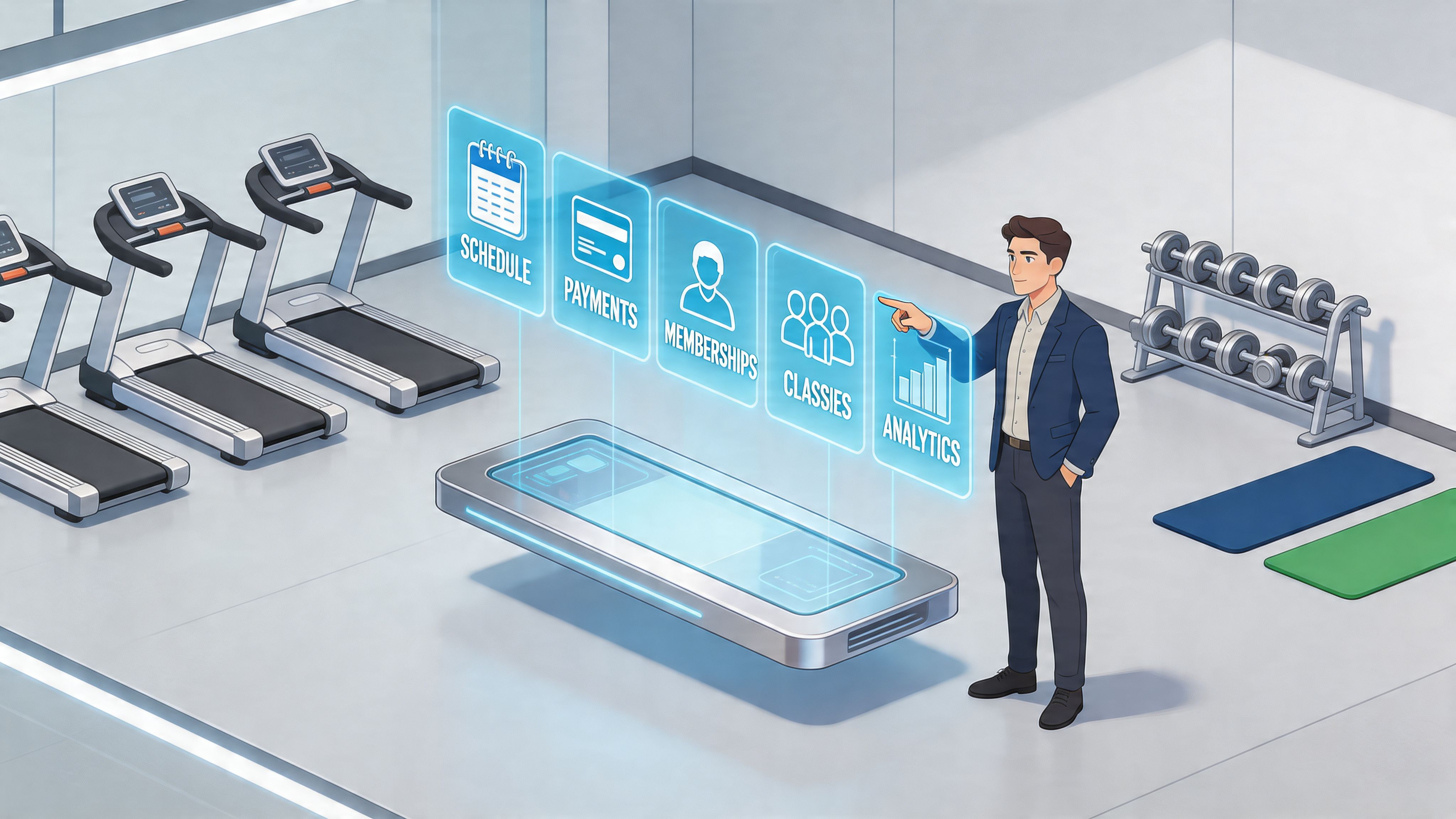
A lot of gym owners hit the same wall at the same time. Revenue is moving. Classes are filling. New leads are coming in. Yet the business still feels harder to run every month.
One screen handles bookings. Another app takes payments. Someone updates a spreadsheet before payroll. A front desk note reminds staff to call a trial member back. Then a coach texts to say a class is over capacity, but the website still shows spots open. Nothing is technically broken. The problem is that everything is disconnected.
That’s when mindbody gym management software usually enters the conversation. Not because it’s trendy, but because operators eventually get tired of running a growing gym through workarounds.
Your Gym Is Thriving But Your Sanity Is Fading
Monday at 8:15 a.m., the lobby is full, two coaches are asking who got moved off the waitlist, and a member wants to know why she was billed twice for a no-show fee and a late cancel. Meanwhile, a lead from Saturday's free strength trial never got a call back because the paper sign-in sheet is still sitting under the front desk. Revenue is up, but the owner is spending prime coaching hours cleaning up preventable mistakes.

I see this pattern in growing studios all the time. A solo trainer can survive with a scheduler and a card reader for a while. A five-coach studio usually cannot. Once you add recurring memberships, intro offers, class caps, personal training packages, retail, and payroll handoffs, disconnected tools start creating friction faster than staff can patch it.
That friction has a direct financial effect, but it also has an owner-capacity effect. If you want a broader baseline for comparing systems, this guide to gym management software for different business stages is a useful starting point.
The Hidden Price of Administrative Chaos
In a gym, software breakdowns rarely look dramatic. They look expensive in small, repeatable ways:
- Trial leads slip through the cracks: A weekend open-house guest never gets entered into the follow-up queue, so the highest-intent prospects go cold.
- Class and service availability gets messy: A reformer slot, semi-private session, or specialty clinic appears open in one place after staff already filled it somewhere else.
- Billing disputes take too long to resolve: Staff bounce between merchant records, membership notes, and attendance history while a frustrated member waits at the desk.
- Coach schedules create payroll headaches: Late swaps, sub requests, and split sessions live in texts and notebooks instead of a system your manager can verify.
- Members get mixed signals: The website shows space in a class, the front desk sees a waitlist, and the coach starts with more people than the room should hold.
For a solo operator, those misses may cost a few hours a week. For a 10,000 square foot gym or a multi-location boutique brand, they can cost a full staff role's worth of time every month.
The practical question is not whether admin chaos feels annoying. It is whether the hours lost, leads dropped, and billing clean-up now exceed the cost of a better system.
The first sign your software stack is failing is usually operational drag. Good staff spend too much time reconciling records instead of serving members.
Mindbody stays on many shortlists because it has a long track record in fitness and wellness operations, and because it can serve businesses that are much more complex than a basic booking app can handle. That matters once your decision is less about features and more about ROI.
Why owners keep coming back to Mindbody
The appeal is not just that Mindbody can run a schedule. It is that it can support different operating models as a gym grows.
For a solo trainer or small appointment-based studio, Mindbody may be more system than you need. If your business runs on a simple calendar, package tracking, and basic autopay, a lighter tool can produce a better return.
For an established class-based gym, a hybrid studio, or a multi-location operation, the math changes. Consolidating scheduling, memberships, point of sale, staff access, and client records into one platform can reduce front-desk labor, tighten follow-up, and make reporting more reliable. That is usually the point where owners stop asking, "Does Mindbody have enough features?" and start asking, "Will this save enough labor and leakage to justify the price?"
That is the right question.
What Mindbody Actually Does for Your Gym
Mindbody works best when you think of it as your digital front desk, marketing team, finance desk, and operations hub in one system. That sounds broad, but the practical point is simple. Your gym stops relying on separate tools that each hold part of the truth.

Mindbody’s core setup combines CRM, scheduling, and POS in a single cloud-based platform, with customizable web widgets that support client self-service and can increase online bookings. It also puts gyms in front of over 2.4 million app users, which helps with acquisition through its broader ecosystem, according to Mindbody’s gym software platform overview.
If you’ve been comparing systems, this is the biggest distinction between a basic booking tool and a true operations platform. One manages appointments. The other manages how the whole business runs.
Where the system changes daily work
Here’s what that looks like in practice:
- Front desk operations get cleaner: Staff can check schedules, client profiles, purchases, and attendance from one place.
- Owners get fewer manual handoffs: A lead inquiry, class booking, payment, and follow-up can stay connected.
- Clients see a more professional brand: They can book, buy, and manage their relationship with the gym without calling for everything.
- Managers can control staff access: Role-based permissions help keep coaches, sales staff, and managers in the right lanes.
For many gyms, this shift matters more than any single feature. It removes the need to reconcile information across systems daily.
Why self-service matters more than most gyms think
The booking widget is one of the most underrated parts of mindbody gym management software. A lot of owners still think of the website as a brochure. It should function more like a staffed lobby.
When a prospect can view the schedule, choose a service, and complete the booking without waiting for a reply, friction drops. That’s especially useful for evening traffic, weekend browsing, and last-minute class shoppers.
If you want a broader sense of how platforms in this category differ, this guide to gym management software options for fitness businesses is a useful companion read.
Practical rule: If a member has to email or call for a task your software could automate, your team is doing support work that software should already be handling.
What it does not solve automatically
Mindbody won’t rescue a sloppy process on its own. If your membership structure is confusing, your class setup is inconsistent, or nobody owns lead follow-up, software won’t fix the management issue. It will just make the issue more visible.
That’s why the best implementations start with process cleanup first. Mindbody performs well when the gym knows how it wants scheduling, billing, lead handling, and staff accountability to work. Then the platform can enforce those rules consistently.
Exploring Mindbody's Core Features for Growth
A solo trainer and a five-location franchise can both buy Mindbody and get very different outcomes from the same feature set. The right question is not whether the platform has enough tools. The question is whether those tools remove enough manual work, missed revenue, and staff friction to justify the cost and setup effort at your size.

That is how I evaluate mindbody gym management software in practice. For a small studio, one saved admin hour per day and cleaner autopay collection may cover a meaningful share of the subscription. For a larger operation, the return usually comes from standardizing scheduling, billing, reporting, and retention workflows across sites. If a gym will only use online booking and basic payment collection, a simpler system often produces a better return.
Scheduling that improves capacity use
Scheduling is usually the first feature that changes day-to-day operations. Mindbody handles classes, appointments, staff availability, and client booking rules in one system. That matters more as the business model gets messier.
For a solo coach or small class-based studio, the gain is mostly time. Fewer texts. Fewer manual schedule changes. Fewer booking mistakes.
For a gym running classes, personal training, specialty programs, and rotating staff, the gain is control. Capacity rules, service categories, staff permissions, and client-facing availability all need to line up. That is where some of Mindbody’s complexity stops looking like a bug and starts looking like a requirement.
A good scheduling setup tends to pay back in three places:
- Front desk labor: less manual calendar management
- Revenue capture: fewer missed bookings and easier conversion from intro offer to paid service
- Member experience: fewer check-in disputes, waitlist problems, and staff miscommunication
Operators comparing systems at this stage should also understand the broader logic behind a centralized reservation management system, especially if booking, billing, and service delivery are still split across different tools.
Payments and POS that keep the client record intact
Payment processing matters less as a standalone feature than as part of the full client history. When charges, packages, visit history, and booking behavior sit in the same record, staff can resolve problems faster and managers can spot patterns sooner.
That has different value at different sizes.
A small gym may care most about reducing failed-payment cleanup and making package sales easier at the desk. A multi-location operator usually cares about consistency. If every site handles purchases, credits, and account notes differently, reporting gets noisy and service quality drops.
This is also where disconnected systems start to show their cost. Every time staff need to jump between tools to answer a basic billing question, service slows down and accountability gets fuzzy.
If your team has to reconstruct a member’s history from separate tabs, the software stack is creating work instead of removing it.
Membership management that fits real retention work
Membership management is where buying decisions often go wrong. Owners see a polished demo, then discover that freezes, renewals, promos, family accounts, session packs, and exceptions are handled in ways that do not match the gym’s policies.
Mindbody tends to fit better once the business has enough pricing and service variation that a lightweight platform starts causing preventable errors. I see the strongest return in gyms with several membership types, both recurring and session-based revenue, and a team that needs account visibility before delivering service.
For a solo trainer with one or two offers, that depth may be unnecessary. For a growing studio with intro packages, recurring memberships, retail, private sessions, and paused accounts, it can prevent front desk confusion and revenue leakage.
The trade-off is setup discipline. Bad membership architecture in Mindbody becomes an expensive admin problem quickly.
Retention and marketing tools that protect existing revenue
The growth case for Mindbody is strongest when a gym already has volume. Once you have enough leads, lapsed members, and attendance data moving through the system, retention tools start to matter more than the booking calendar.
I have seen operators accept the learning curve because they are not buying software just to organize appointments. They want one place to spot attendance drop-off, trigger follow-up, recover inactive clients, and give staff a cleaner pipeline to work from. That value is far easier to realize in a studio with a sales process and assigned ownership than in a tiny operation where follow-up still lives in one manager’s head.
A practical example looks like this:
- A member’s visit frequency drops.
- Staff can see the pattern early.
- Outreach happens before the cancellation request.
- Retention improves because the team acted on time.
That is a real growth use case. It protects recurring revenue that would otherwise slip out.
What gets a return, and what gets ignored
The gyms that get the best return from Mindbody usually use a narrower set of features than they expected, but they use those features consistently.
What usually earns its keep:
- Online booking tied to clear capacity rules
- Autopay and packages connected to clean membership policies
- Staff visibility into client status, purchases, and visit history
- Follow-up processes with one person accountable for the task
What often gets wasted:
- Advanced automations turned on before the team masters daily workflows
- Overbuilt membership options that create exceptions every week
- Reports with no operating decision attached to them
- Marketing tools added before sales follow-up is consistent
That is the decision framework. If your gym is small and simple, calculate ROI based on saved admin time and cleaner collections. If your gym has multiple revenue lines, a larger team, or more than one location, calculate ROI based on process standardization, retention lift, and fewer operational mistakes. Mindbody is strongest in businesses where complexity is already costing money.
Mindbody Pricing Tiers and Hidden Costs
A common buying moment looks like this. A gym owner is buried in billing fixes, staff questions, and class changes, sees the monthly Mindbody price, and tries to decide in ten minutes whether it is reasonable. That shortcut usually leads to a bad call.
Mindbody pricing only makes sense when it is tied to business size, workflow complexity, and the cost of mistakes your current system is creating. A $300 to $600 monthly software bill can be excessive for a solo operator. The same spend can be modest for a two-location studio losing hours each week to manual admin, failed follow-up, and reporting gaps.
What the monthly fee does not capture
In my experience reviewing buying decisions, small operators often focus on the monthly subscription price and overlook total cost of ownership.
That total includes setup time, data cleanup, staff training, migration work, add-ons, and the owner attention required to get the system working properly. If you are evaluating several options, it helps to compare Mindbody against other gym management software platforms for different business sizes before treating price as the deciding factor.
Mindbody can be a smart buy. It can also become an expensive layer of overhead if the business is still simple and the team will only use a fraction of the system.
Mindbody Pricing Tiers At a Glance 2026
| Feature | Starter | Accelerate | Ultimate | Ultimate Plus |
|---|---|---|---|---|
| Best fit | Solo or early-stage studio | Growing single location | Established gym with heavier marketing needs | Multi-location or brand-driven operator |
| Scheduling and booking | Yes | Yes | Yes | Yes |
| Payments and POS | Yes | Yes | Yes | Yes |
| CRM depth | Basic | More advanced | Advanced | Advanced |
| Marketing tools | Limited | Stronger automation | Broader campaign capability | Broadest package |
| Reporting | Basic | More advanced | Advanced | Advanced plus executive use cases |
| Branding options | Standard | Standard | Expanded | Best fit for branded experience |
| Operational complexity | Lower | Moderate | High | Highest |
The practical rule is simple. Buy the lowest tier that fixes the current bottleneck and leaves room for the next stage of growth. Many gyms overbuy because the demo shows possibilities instead of daily reality.
Costs owners forget to budget for
The hidden costs are usually operational, not mysterious. They show up after the contract is signed.
- Add-ons that shift from optional to expected: Features that look nice in a sales call can become part of the workflow once staff starts relying on them.
- Migration labor: Importing client data, cleaning membership rules, and rebuilding schedules takes management time even when outside help is available.
- Training time: Front desk staff, managers, and coaches do not all learn the system at the same pace.
- Process redesign: Software exposes weak policies fast. Cancellations, freezes, package rules, and staff permissions often need cleanup before Mindbody works well.
- Unused capacity: Paying for advanced marketing or reporting tools you never operationalize is still waste.
I have seen owners blame the software for costs that were really implementation costs. I have also seen owners underestimate how much internal discipline a platform like this requires.
Buyers usually regret Mindbody for one of two reasons. They bought more system than the business needed, or they bought the right system without assigning a clear owner for rollout and cleanup.
A practical ROI lens by gym size
The right question is not “Can we afford Mindbody?” The right question is “What problem will it solve, and what is that problem costing us now?”
| Gym type | Strong ROI case | Weak ROI case |
|---|---|---|
| Solo trainer | You sell recurring memberships, packages, and classes, and admin work is eating selling time | You mainly need calendar booking, basic billing, and a simple client list |
| Boutique studio | Class volume is high, staff touches many client accounts, and missed follow-up hurts retention | Operations are still straightforward and the owner wants the simplest tool possible |
| Mid-sized gym | You need tighter controls across sales, service, staff access, and reporting | The team is inconsistent with basic process discipline and has no bandwidth for rollout |
| Multi-location group | Standardization, centralized reporting, and shared workflows will reduce errors across sites | Each location still runs its own rules and leadership has not aligned on one operating model |
For a solo operator, ROI usually comes from saved admin time, fewer billing problems, and a more polished client experience. If those gains are small, Mindbody is often too much system.
For a growing single-location studio, ROI usually comes from cleaner scheduling, stronger collections, and better follow-up consistency. In these situations, Mindbody often starts to make financial sense.
For multi-location operators, the math changes again. The return usually comes from standardization, fewer workarounds, cleaner reporting, and lower manager dependence on tribal knowledge. At that size, poor implementation is often more expensive than the subscription itself.
Price matters. Fit matters more.
Analyzing Real-World Pros and Cons for Your Business
Mindbody isn’t “good” or “bad” in a vacuum. It fits some business shapes extremely well and frustrates others quickly. The same feature can be a selling point for one gym and dead weight for another.

That’s why generic review roundups don’t help much. You need to judge the trade-offs through the lens of business size, service mix, staffing, and owner bandwidth.
If you run a solo practice or tiny gym
For a solo trainer, Mindbody can feel like walking into a warehouse when you only needed a toolbox. The upside is professionalism. The downside is overhead.
Where it helps
- Client experience: Booking, payments, and communication can look polished quickly.
- Growth readiness: You won’t need to replace the software immediately if you add staff or services.
- Operational consistency: One system can keep client data cleaner than a patchwork setup.
Where it hurts
- Feature bloat: You may spend money and time on tools you barely touch.
- Learning curve: A small team has less capacity for training and cleanup.
- Decision fatigue: More options mean more setup choices, and that can slow a lean operator down.
If this is your profile, compare Mindbody carefully against simpler alternatives before signing anything. A lot of owners don’t need the biggest platform. They need the clearest one. This roundup of best gym management software options for fitness businesses is a useful next step if you’re still sorting that out.
If you run a growing boutique studio
Mindbody often makes the most sense. Boutique fitness businesses usually reach a stage where schedule complexity, client communication, and recurring billing all start colliding. That’s exactly the environment where a more integrated system can earn its keep.
The pros get more tangible here:
- Better structure for class-heavy operations
- Stronger handling of client journeys from trial to recurring
- More room for offers, packages, and segmented communication
- A consumer-facing ecosystem that can support discovery
The cons still matter. Setup takes work. Staff training matters more than owners expect. If your studio culture is informal and your team avoids process discipline, Mindbody can expose that weakness fast.
If you manage multiple locations or a franchise-style operation
For larger businesses, some of Mindbody’s complexity stops looking like a bug and starts looking like a requirement. Multi-location operators usually need stronger controls, more reporting visibility, and more standardized workflows than lightweight tools can provide.
Here’s the key trade:
| Business type | Biggest Mindbody advantage | Biggest Mindbody risk |
|---|---|---|
| Solo trainer | Professional infrastructure | Too much software |
| Boutique studio | Handles class and client complexity | Adoption burden |
| Multi-location operator | Scales operational control | Expensive mistakes if setup is poor |
Bigger operations rarely fail with Mindbody because the platform is too robust. They fail because leadership assumes the software will standardize the business without leadership standardizing it first.
What usually determines satisfaction
After enough implementations, the same factors keep showing up.
Satisfaction usually goes up when:
- The gym has clear internal processes
- One person owns configuration decisions
- Staff gets role-specific training
- Management uses reports to make real decisions
Satisfaction usually drops when:
- The owner wants instant simplicity
- The team never leaves old habits
- No one cleans up memberships, services, or pricing before launch
- The software purchase was driven by features, not operating needs
Mindbody is rarely the wrong answer because it lacks capability. It’s the wrong answer when the gym’s stage, budget, or discipline level doesn’t match the platform.
Your Implementation and Onboarding Checklist
A typical rollout failure starts the same way. The owner signs the contract on Friday, expects staff to figure it out by Monday, and keeps every old pricing exception, duplicate client record, and one-off membership rule. Three weeks later, billing is messy, the front desk is improvising, and Mindbody gets blamed for decisions no one made during setup.
The gyms that get value from Mindbody treat onboarding like a 60-day operating project. The exact plan should match the size of the business. A solo trainer can keep this tight and simple. A five-location group needs more controls, more testing, and a clearer approval chain because one bad setup decision multiplies fast.
The 30 days before launch
Start with cleanup. Cleanup determines whether ROI is won or delayed.
First, decide what success should look like in dollars and hours. If you run a solo or very small studio, the return usually comes from fewer billing errors, less manual scheduling, and cleaner client communication. If you manage a larger studio or multiple locations, the return usually comes from standardized reporting, fewer front-desk workarounds, and better control over recurring revenue.
Then clean the data you plan to migrate:
- Remove duplicate client records
- Close inactive memberships and outdated packages
- Confirm billing details for active accounts
- Rename services and memberships so staff can recognize them instantly
- Eliminate legacy pricing rules you no longer want to support
This is also the right time to map policy decisions. Write down how freezes, late cancels, upgrades, downgrades, family accounts, intro offers, and failed payments should work. If those rules are vague before launch, staff will create their own versions at the desk.
For larger operators, I also recommend a short systems map. List what Mindbody will own versus what stays in other tools, especially if you are also evaluating CRM software for gyms for lead follow-up and retention work. That prevents the common mistake of asking Mindbody to do every job in the stack.
Launch week
Keep the scope narrow.
Launch week should focus on the workflows that directly affect member trust and cash flow. In practice, that means schedule accuracy, check-in flow, purchases, recurring billing, and role-based staff training.
A front desk employee does not need manager reporting on day one. A coach does not need every sales workflow. Train people on the tasks they will perform repeatedly, and test those tasks in the live environment before traffic picks up.
For a solo operator, launch week may only require one test cycle for booking, payment, and confirmations. For a multi-location business, run location-by-location checks for class setup, tax settings, payment processing, staff permissions, and member communications. Central leadership should sign off before locations improvise their own settings.
The first 30 days live
Do not judge the rollout by whether nobody complains. Judge it by whether staff stopped creating side systems.
In the first month, look closely at a short list of operational signals:
- Are staff still using paper notes or shadow spreadsheets?
- Are members getting confused about booking, credits, or package selection?
- Are failed payments being resolved on a defined schedule?
- Are managers reviewing reports and acting on them?
- Are any automations live without a clear owner?
The fastest payback usually comes from boring functions done consistently. Failed payment workflows, clean billing rules, mobile roster access, and scheduled reporting tend to matter more in month one than advanced marketing features. That is especially true for smaller gyms that need immediate time savings to justify the software cost.
For larger businesses, the first-month review should also include location variance. Compare how each site is using memberships, discounts, appointment settings, and reporting. If one manager is building exceptions every week, fix that early. Small inconsistencies turn into expensive reconciliation work later.
One final rule. Freeze major feature expansion until the core workflows are stable. Mindbody can support a lot, but the best implementations add complexity in stages after the team proves it can run the basics cleanly.
Is Mindbody Your Gym's Next Best Hire
Monday at 6:00 a.m., the coach is texting a waitlisted member, the front desk is fixing a failed autopay, and your manager is trying to confirm whether a package sold at one location can be used at another. That is usually the point where owners ask whether Mindbody is worth the cost.
My answer depends less on features and more on math.
For a solo trainer or very small studio, Mindbody only makes sense if it saves enough admin time or billing leakage to cover the monthly spend without adding setup burden you will resent. If your operation is mostly appointments, a small client base, and one or two recurring revenue offers, a simpler system often produces a better return because it gets used consistently.
For a growing studio with multiple instructors, class packs, memberships, retail, and recurring payment issues, the case gets stronger. At that size, ROI usually comes from fewer manual fixes, cleaner billing, better booking control, and clearer staff accountability. You are not buying software because it looks mature. You are buying back manager hours and reducing avoidable errors.
For multi-location gyms and franchises, Mindbody starts to earn its keep when standardization matters more than simplicity. Shared reporting, permission controls, cross-location rules, and centralized oversight can justify the higher cost. If each site still runs its own version of the business, though, the platform can expose problems faster than it solves them.
A practical decision filter by gym size
Mindbody is usually worth serious consideration if one of these situations fits:
- Solo trainer or micro studio: admin work is eating into selling or coaching time, and basic tools no longer handle billing and booking cleanly
- Small team studio: staff permissions, payroll inputs, class capacity rules, and client records need to live in one system
- Established gym: billing errors, no-show handling, and reporting gaps are costing real time each week
- Multi-location business: leadership needs consistent rules and visibility across sites
- Franchise or expansion model: you need a platform that supports repeatable operating standards, not just scheduling
Pause and compare alternatives if these are closer to your reality:
- You only need scheduling and recurring payments
- Your offer is simple and likely to stay simple for the next year
- No one on the team can own setup and system decisions
- Your staff already struggles to follow basic process
- The budget only works if you adopt every advanced feature right away
Before the demo, define the return you need. That could mean fewer hours spent on billing cleanup, fewer missed follow-ups, tighter reporting by location, or better conversion from inquiry to membership. If sales process and follow-up are part of the problem, this guide to CRM software for gyms and member sales workflows will help you compare the revenue side of the stack before you commit.
Choose the software that fits the gym you run now, with a clear view of what the next 12 to 24 months will require. Mindbody is often a good hire for businesses with real operational complexity. It is a poor hire for owners who mainly need a calendar and autopay.
Final tip: software does not replace the in-person standard
Members notice the systems behind your front desk. They also notice whether the space feels cared for.
Clean entry points, wiped equipment, stocked sanitation stations, and orderly recovery areas support the same promise your software is supposed to support. This business is organized. The staff pays attention.
For daily hygiene, keep the routine simple:
- Wipe high-touch equipment between peak blocks
- Sanitize front desk surfaces and tablets regularly
- Restock cleaning stations before classes start
- Train staff to do quick floor checks during slower periods
If you want a dependable option for that routine, Wipes.com Disinfectant Wipes fit well in gyms that want visible, fast cleaning without adding friction at the front desk.
If you want more practical breakdowns on gym systems, retention, and sales process design, Gym Membership Tips is worth bookmarking for implementation-focused guidance.
Leave a Reply